Free Knowledge Base Software: What Free Really Costs
Free knowledge base software comes in three kinds: free plans, free trials and self-hosted open source. See what each really costs and how to choose.

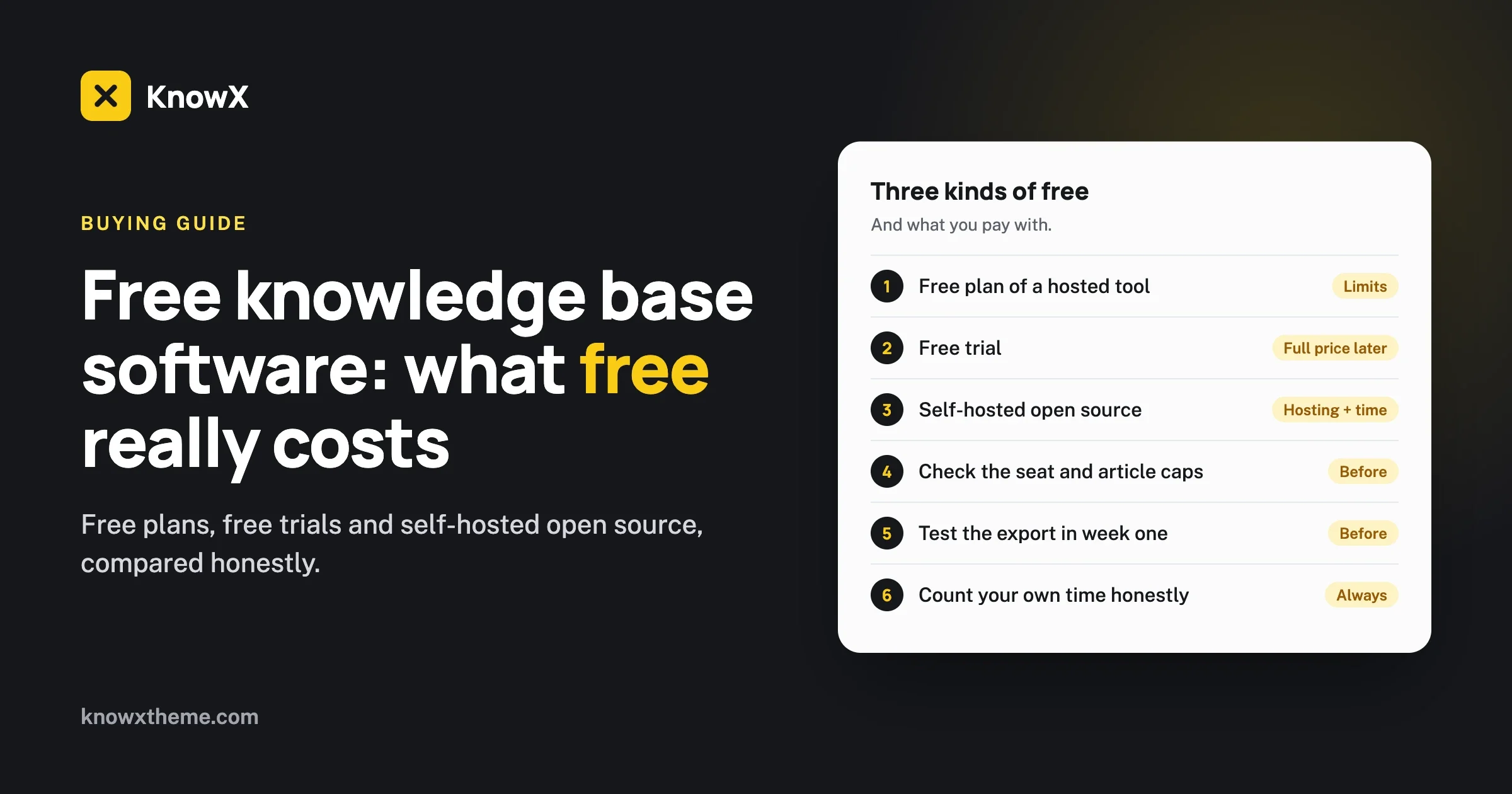
Free knowledge base software is never free of cost. It is free of a licence fee. You still pay in one of three ways: with limits that push you to a paid plan, with your own time spent hosting and updating, or with your content sitting on someone else’s platform. The right choice depends on which of those costs you can best afford. This guide lays out each kind of “free”, what it really costs, and a simple way to decide.
We make KnowX, a free knowledge base theme for WordPress, so we have a side in this. We have tried to write the guide we would want to read if we did not. Where a hosted tool is the better choice, we say so.
What are the three kinds of free knowledge base software?
Almost everything sold as free knowledge base software falls into one of three groups. They are very different products that happen to share a price tag.
Kind of free | What it is | What you pay with |
|---|---|---|
Free plan of a hosted tool | A paid product with a free tier. The company runs it for you. | Limits on seats, articles, branding or features, and your content lives on their platform |
Free trial | The full paid product for a short time | Nothing now. The full price later, or the work of moving out |
Free and open source, self-hosted | Software you install on your own hosting | Hosting fees, and your time for setup and updates |
A fourth thing sometimes gets called a free knowledge base: a shared folder of documents. It costs nothing, and for a team of three it can be enough. It stops working when customers need to search it, or when nobody can tell which document is current.
What does a free plan of a hosted tool really cost?
A free plan costs you the limits it sets and the freedom to leave easily. It gives you a great deal in return: no setup, no updates, and a product that works on day one.
Free plans exist so that some users become paying customers. That is fair, and it shapes where the limits sit. They are placed at the points where a growing team will feel them. Before you choose a free plan, read the provider’s pricing page and find the answer to each question below. We have not listed specific products here, because plans change often and you should read today’s page, not a summary.
Which limits should you look for?
- Seats. How many people can write and edit? A limit of one or two writers is common, and it is the first wall most teams hit.
- Articles or storage. Is there a cap on the number of articles, or on images and attachments?
- Your own domain. Can the knowledge base live at help.yourcompany.com, or only at an address under the provider’s name?
- Branding. Does the free plan show the provider’s logo or a “powered by” link on every page?
- Private content. Can you restrict articles to logged-in staff or customers?
- Search and reports. Is search included in full? Are view counts and search reports paid features?
- Export. Can you download all your articles, with images, in a format another tool can read?
The cost you do not see on day one
The most important line in that list is the last one. On a free plan your articles live in the provider’s database. That is fine while you are happy. It matters on the day the free plan changes, the price rises, or the product stops fitting.
If the export is clean, leaving costs you a weekend. If the export is poor, or missing, leaving means copying every article by hand and fixing every link. Teams in that position usually stay and pay. Check the export before you write your first article, not after your two-hundredth.
When a free hosted plan is the right choice
Choose it when you need a knowledge base this week, nobody on the team wants to look after a website, and you fit inside the limits with room to spare. A small company with one support person and forty articles can run happily on a free plan for years.
What does a free trial really cost?
A free trial costs nothing until it ends. Then it costs the full price, or the work of moving your content out.
Trials are useful for one thing: finding out whether you like working in the product. They are a poor way to start a knowledge base, because anything you build during the trial is held by a deadline. If you use a trial, write three test articles, try the search, try the export, and decide. Do not move your real content in until you have chosen to pay.
Be careful with comparison pages that list trials under “free knowledge base software”. A product with a fourteen-day trial is a paid product.
What does open source, self-hosted software really cost?
Self-hosted software costs you hosting and time. The licence is free, and you own everything: the software, the content and the address.
The money
You need web hosting and a domain name. For a knowledge base, which is mostly text, ordinary shared hosting is usually enough to begin with. If you already have a company website, you may be able to run the knowledge base on the same hosting at no extra cost.
The time
This is the real cost, and you should count it honestly.
- Setup: a few hours to install the software, choose a design and create your topics.
- Updates: a few minutes a month to apply software updates. Skipping them is the most common way self-hosted sites get into trouble.
- Backups: a one-time setup, then an occasional check that they are running. Many hosts include them.
- Problems: now and then something breaks, and it is yours to fix or to pay someone to fix.
If someone on your team already looks after a website, this is a small addition to work they know. If nobody does, be realistic. An hour a month from a person who dislikes the work is a cost, even if no invoice arrives.
What you get for it
- No seat limits. Add every writer you need.
- No article limits. The only cap is your hosting.
- Your own domain and your own branding from the first day.
- Your content in your own database, in a standard format you can export at any time.
- The freedom to change anything, with settings, add-ons or code.
What you do not get
Self-hosted tools usually do less out of the box than a mature hosted product. Features such as article voting, search reports, AI answers and ticketing are often built into hosted tools. On a self-hosted setup you add them piece by piece, if they exist at all for your software. If you need all of those today, in one place, with one login, a hosted tool will serve you better.
How does WordPress fit in as free knowledge base software?
WordPress is free, open source and self-hosted, and with a knowledge base theme it becomes a help center. It is the most widely used option in the self-hosted group, which means hosts support it well and most people who have run a website have already used it.
With our free theme, KnowX, the setup is short. Each topic is a WordPress category. Each article is a normal post. The theme provides the knowledge base home page with a search box and topic tiles, a second layout that lists every topic with its articles, breadcrumbs and a support section.
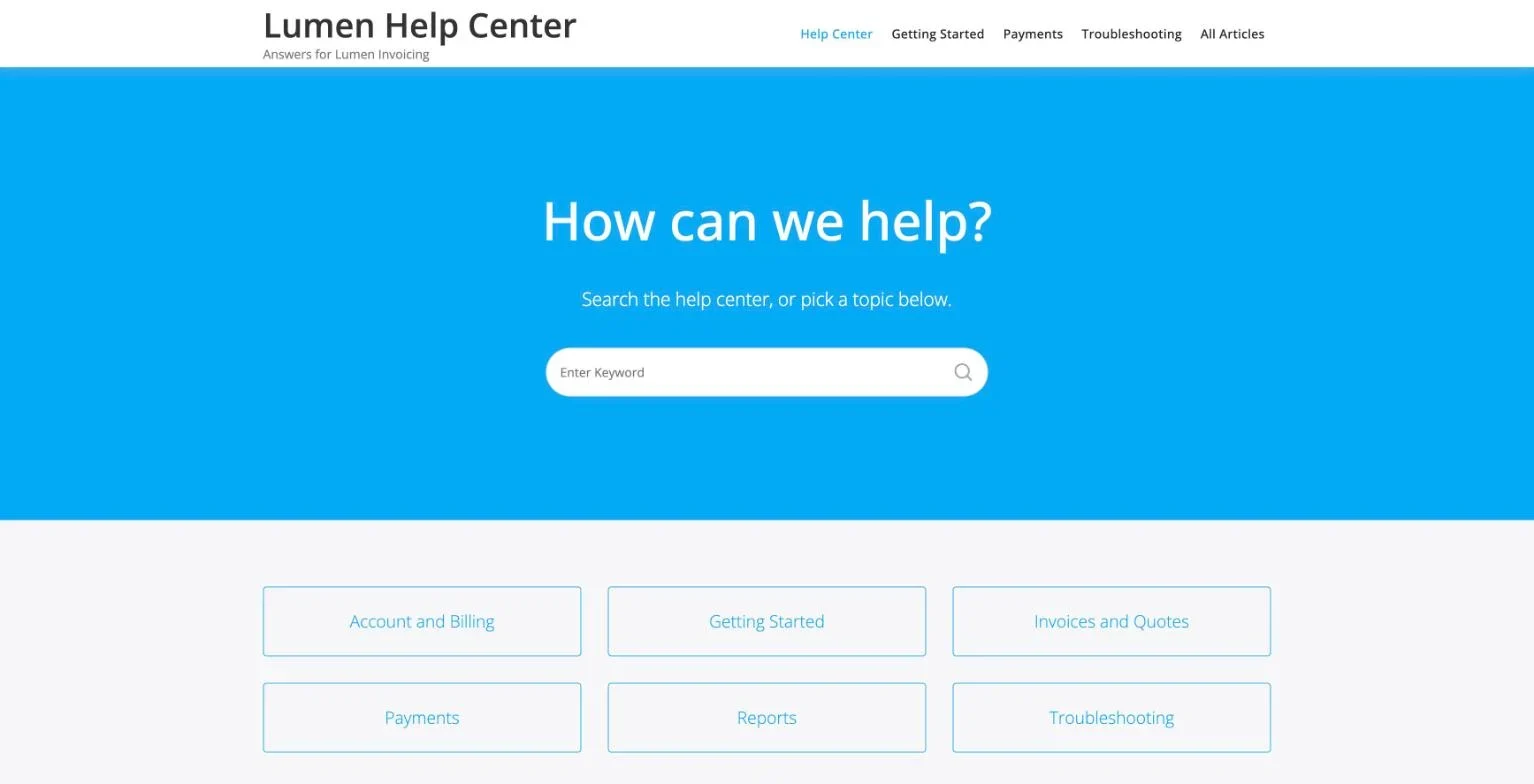
Here is the same honest list for this setup.
Question | WordPress with KnowX |
|---|---|
Licence fee | None. Both are GPL licensed. |
Writers | As many WordPress users as you create |
Articles | No cap from the software |
Your own domain and branding | Yes |
Export | The standard WordPress export tool |
Hosting and updates | Yours to look after |
Article voting, search reports, AI answers, ticketing | Not in KnowX. Added with plugins if you need them. |
Access rules per article | Not in KnowX. Needs a plugin. |
You can try a live demo in your browser without installing anything, and our setup guide shows how to build a knowledge base on WordPress with KnowX step by step.
How do the three kinds compare side by side?
Free hosted plan | Free trial | Self-hosted open source | |
|---|---|---|---|
Time to first article | Minutes | Minutes | A few hours |
Ongoing fee | None, within limits | Full price after the trial | Hosting |
Ongoing work | None | None | Updates and backups |
Limits on writers and articles | Usually | None during the trial | None |
Where content lives | Provider’s platform | Provider’s platform | Your own site |
Built-in extras | Some, more on paid plans | All | Few. Added separately. |
Leaving | Depends on the export | Depends on the export | Standard export |
How do you decide which free option is right?
Answer five questions. Your answers will point clearly one way.
1. Does anyone on your team look after a website today?
If yes, self-hosting adds little work. If no, lean towards a hosted plan unless you are ready to learn or to pay someone a small amount to maintain it.
2. How many people will write articles?
One or two fits most free hosted plans. Five or more will hit a seat limit quickly, and per-seat pricing adds up. Self-hosted software does not count seats.
3. Does the knowledge base need to be on your own domain, in your own brand?
If that matters to you, check whether the free hosted plan allows it. Many keep custom domains and logo removal for paid plans. Self-hosted gives you both from the start.
4. Which extras do you need in the first six months?
Write the list. If it includes ticketing, AI answers and analytics, price the hosted plan that includes them, because the free plan probably does not. If your list is “articles, topics, search and a contact link”, any of the options will do, and the cheapest to run long term is self-hosted.
5. How would you feel if the free plan ended next year?
Free plans do change. If moving would be a serious problem, choose an option with a clean export, or one where the content is already yours.
What mistakes do people make with free knowledge base software?
Choosing on features you will not use
What you see: a comparison table with forty rows, and a choice made on row thirty-five.
Check: list the five things you will do every week.
Fix: choose on those five.
Prevent: write your own short list before you read anyone’s comparison.
Not testing the export
What you see: two years of articles in a tool you want to leave, and no clean way out.
Check: run an export today and open the file.
Fix: if it is poor, start keeping a copy of each new article outside the tool.
Prevent: test the export in your first week with any tool.
Ignoring updates on a self-hosted site
What you see: a site that has not been updated in a year.
Check: log in and look at the updates screen.
Fix: take a backup, then apply the updates.
Prevent: put a monthly reminder in a calendar, or turn on automatic updates where your software offers them.
Counting your own time as zero
What you see: a “free” setup that takes a founder four hours a month.
Check: track the time for one month.
Fix: if the hours cost more than a paid plan would, switch, or hand the upkeep to someone who does it faster.
Prevent: decide up front how much time you are willing to spend, and review it after three months.
Starting with the tool and not the content
What you see: a carefully chosen tool with six articles in it.
Check: count your published answers.
Fix: write the answers to your twenty most common questions before you change anything else.
Prevent: draft the first twenty articles in plain documents, then pick the tool. Good content moves anywhere. A good tool cannot make up for missing content.
Who holds your articles, and why does it matter?
Whoever runs the database holds your articles. With a hosted tool that is the provider. With self-hosted software it is you, on hosting you rent. This is easy to overlook when you are comparing features, and it decides how much choice you have later.
Holding your own content gives you three practical things:
- You set the rules. No plan change can cap your articles or put another company’s logo on your pages.
- You can back it up your way. A copy of the database and the uploads folder is a complete copy of your knowledge base.
- You can change the software around it. A new design, or a different tool that reads the same format, does not mean starting again.
It also gives you one responsibility: if the site goes down, it is yours to bring back. A hosted provider carries that for you, and for many teams that is worth paying for. Neither answer is wrong. What matters is that you choose it knowingly, and not find out when you try to leave.
What to ask a hosted provider about your content
- Can I export every article with its images, at any time, on the plan I am on?
- What format is the export, and can other tools read it?
- If I stop paying or close my account, how long do I have to download my content?
- Will my article addresses keep working if I move, or can I redirect them?
A good provider answers all four clearly in its own help pages. If you cannot find the answers, ask before you commit.
How do you test a free option in one week?
Give any option the same short test before you trust it with real content. It takes about three hours spread over a week, and it shows you the limits before they cost you anything.
- Day one: write three real articles. Use questions from your inbox. Note how long each takes and whether the editor fights you.
- Day two: add a second person. Can they log in and edit? Did you hit a seat limit?
- Day three: search like a customer. Type the words a customer would use, including a misspelling. Does the right article come up?
- Day four: look at it on a phone. Is the search box in the first screen? Is the text comfortable to read?
- Day five: brand it. Add your logo and colour. Is the provider’s name still on the page? Can you use your own domain?
- Day six: export everything. Open the file. Are the three articles there, with their images and links?
- Day seven: decide. If anything on days two, five or six was blocked, you have found the real price of that option.
Run the same seven days on two options and the choice usually makes itself.
What does a free knowledge base cost over three years?
It helps to think past the first month. Here is how the three paths usually unfold. We have left out prices on purpose, because they change and you should check today’s.
Free hosted plan. Year one costs nothing. During year two the team grows, a third writer is needed, and you move to a paid plan billed per seat. By year three you pay monthly for every writer. The total is zero for a small stable team and a steady bill for a growing one.
Self-hosted. Year one costs hosting and a few hours of setup. Years two and three cost hosting and a few minutes a month. The total stays flat whether you have two writers or twenty.
Trial, then paid. You pay the full price from the first month after the trial. The total is the highest of the three, and you get the most features for it.
No path is wrong. A flat cost suits a team that expects to grow. Zero cost suits a team that expects to stay small. Paying more suits a team that needs the extras and has no time for upkeep.
Questions about free knowledge base software
Is open source knowledge base software safe?
It is as safe as you keep it. Use a reputable host, keep the software updated, use strong passwords and take backups. Most problems on self-hosted sites come from skipped updates.
Can free knowledge base software be private?
Some can. On hosted free plans, private content is often a paid feature. On WordPress, a staff-only knowledge base needs a plugin or a server rule that requires login. We explain this on our internal knowledge base page.
Is a shared document folder good enough?
For a very small team, often yes. Move to a real knowledge base when customers need to search it, or when people start asking which version is current.
Can you move from a hosted tool to self-hosted later?
Yes, if the hosted tool lets you export your articles. Read our checklist for moving a knowledge base off a hosted tool before you start.
Does free software mean no support?
It means no guaranteed support. Open source projects usually have documentation and community forums. Hosted free plans often limit support to paying customers. For KnowX, help goes through the Wbcom Designs support desk.
Do you need a developer to self-host a knowledge base?
Not for a standard setup. Most hosts install WordPress for you in a few clicks, and adding a theme is done from the dashboard. You would want a developer for things beyond the standard setup, such as single sign-on, a custom layout or moving a large amount of content from another tool.
What is the cheapest way to start if you are unsure?
Write your first twenty answers in plain documents and try them on two options for a week each, using the seven-day test above. It costs nothing but a few hours, and you will choose with real experience in place of a feature list.
What should you do next?
Write down your answers to the five questions above. If they point to a hosted plan, read two providers’ pricing pages today and test the export on each. If they point to self-hosting, see what WordPress as knowledge base software gives you and where it stops, or open the live demo and look around.
And if you want a knowledge base you own but would rather not set it up yourself, that is work we take on. See custom development.