Help Center vs Help Desk Software: Which a Small Business Needs, and When to Add Tickets
A help center answers customers on their own. Help desk software tracks replies to individuals. Which a small business needs first, what vendors say on their pages, and when to add tickets.

A help center is a website where customers find answers on their own. Help desk software is a tool for your team to answer customers one by one, through tickets in a shared inbox. A small business should usually start with a help center, because it answers the repeat questions for free, and add help desk software when people need personal replies that you have to track. Most growing teams end up with both. This guide shows how to tell which one you need now, what the popular help desk tools say on their own pages, and when it makes sense to add tickets.
We make KnowX, a free WordPress theme for knowledge bases and help centers. KnowX is a help center tool. It is not help desk software, and it has no ticketing. We say so up front, and we keep this guide about what you need, not about selling you a theme. All vendor facts below come from each vendor’s own pricing page, read on 11 November 2026.
What is the difference between a help center and help desk software?
The two words sound alike, and vendors often sell them together. They solve different problems.
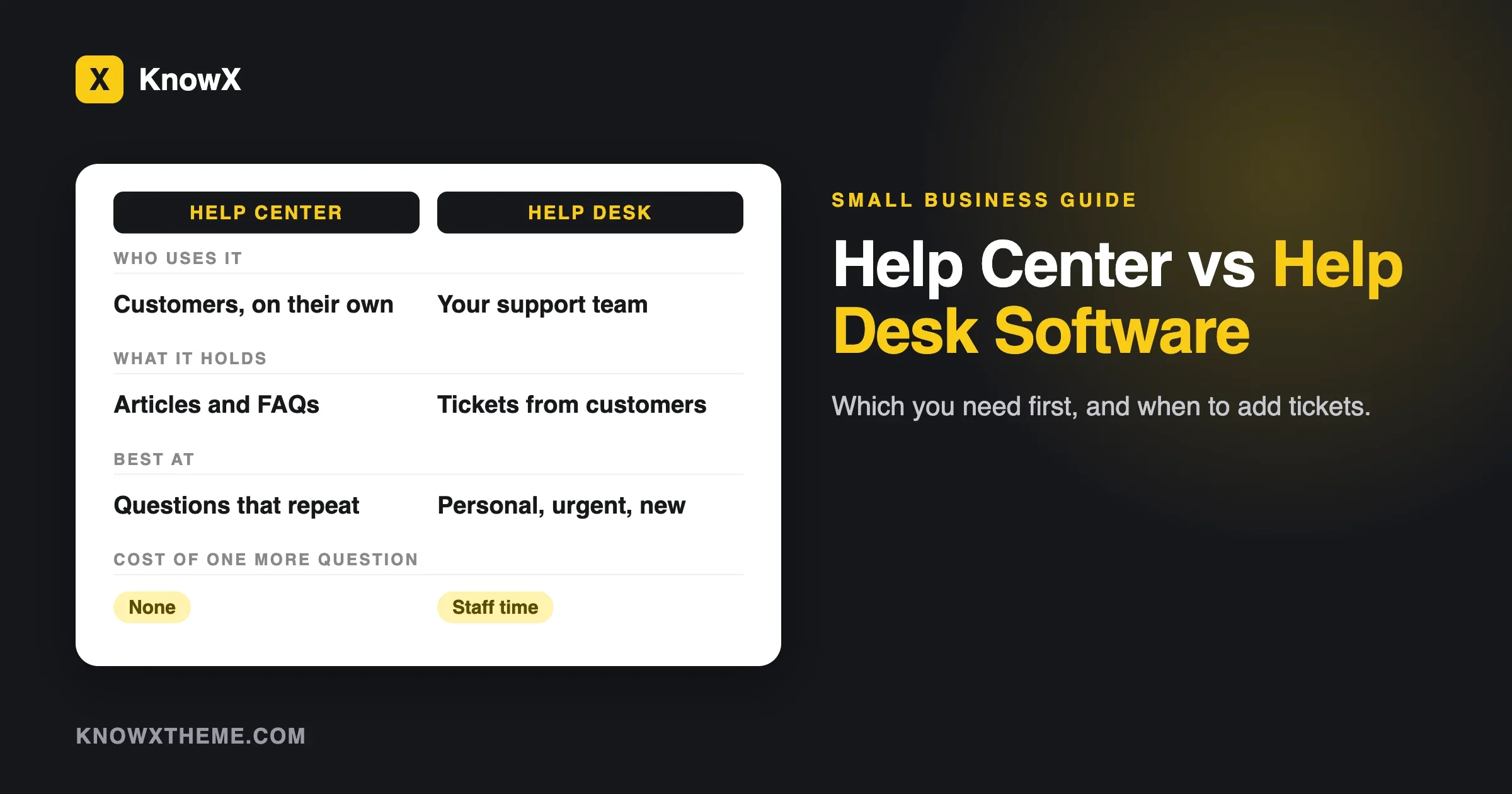
Help center | Help desk software | |
|---|---|---|
Who uses it | Your customers, on their own | Your support team, every day |
What it holds | Articles, guides and FAQs | Customer messages, grouped as tickets |
How a question gets answered | The customer searches and reads | A person on your team replies |
What it costs to answer one more question | Nothing extra, once the article exists | Staff time for each ticket |
Best at | Questions that repeat | Questions that are personal, urgent or new |
Also called | Knowledge base, help site, self-service portal | Ticketing system, shared inbox, support desk |
A simple way to remember it: a help center answers a thousand people with one article. Help desk software helps you answer one person at a time without losing track of them.
What is a ticket, and why does it matter?
A ticket is a record of one customer request. When a customer emails you, or fills in a form, the help desk turns the message into a ticket with a status, such as open or closed, and an owner. Everyone on the team can see who is dealing with it, and nothing is lost when someone is away.
Without tickets, support usually lives in one person’s inbox. That works for a few messages a week. It stops working when two people answer the same customer, or when a message sits unread for days because someone was on holiday. Tickets fix that problem. They do not fix the problem of the same question arriving fifty times, which is what a help center is for.
What does help desk software usually do?
Features differ between products, so check each one’s own page. In general, help desk software gives you:
- A shared inbox. Customer emails and form messages land in one place the whole team can see.
- Tickets with owners and statuses. Each request is assigned, tracked and closed.
- Saved replies. Common answers can be reused, so you do not retype them.
- Notes and history. You can see past conversations with the same customer.
- Reports. You can see how many tickets arrive and how long they stay open.
- A help center, often. Most of the big products bundle one. We look at that in a moment.
Help center software: what a small business actually needs from one
Help center software publishes your answers and makes them easy to find. The basics are the same wherever you host it:
- Articles that are easy to write and edit.
- Topics, so readers can browse.
- Search that works with your customers’ words. Our guide on knowledge base search not finding answers shows how to test it.
- A clear way to reach a person when the article does not help.
With KnowX, a help center is a WordPress site. According to the theme’s WordPress.org page, products are top-level categories, sections are child categories and articles are posts, and no plugin is required. Readers get a section tree, an “On this page” list and instant search that opens with Ctrl or Cmd plus K. Articles end with a “Still need help?” block that points readers onward. That block is a prompt, not a ticketing system. You still need an inbox, a form or a help desk behind it.
Which does a small business need first?
Start from your questions, not from the tools. Take the last twenty customer messages you received and sort them into two piles.
- Pile one: questions you have answered before. “How do I reset my password?” “Where is my invoice?” “Does it work with X?”
- Pile two: questions that need a person. “My order never arrived.” “I was charged twice.” “Can you change this for my account?”
If pile one is larger, you need a help center first. Each article you write removes a whole stream of messages. If pile two is larger, you need a way to track and answer individual requests, which means a shared inbox or help desk software. If both piles are big, you need both, and you should build the help center first, because it shrinks pile one while you set up the tickets.
Signs you can stay with a help center and a simple form
- You get fewer than a handful of personal requests a day, and one person handles them.
- Most messages ask something that an article could answer.
- You do not need to see who answered what, or how long replies take.
- Customers are happy to use a contact form or an email address.
In this case a help center plus a contact form and a shared mailbox is enough. Do not buy help desk software to feel professional. Per-agent pricing adds up, as the next section shows.
Signs it is time to add tickets
We use the symptom, check, fix, prevent pattern here.
Customers get two answers, or none
Symptom: two people answered the same customer, or a message was missed.
Check: look at your inbox for threads with more than one team member replying, and for messages older than two days with no reply.
Fix: move to a shared inbox with owners, or full help desk software.
Prevent: decide who owns support each week, and write down the rule.
You cannot tell how busy support is
Symptom: nobody knows how many requests arrive or which topics repeat.
Check: count last week’s messages by hand. If it takes more than an hour, you have outgrown the inbox.
Fix: a tool that reports on tickets will do this for you. Use the topics that repeat to write new help articles.
Prevent: review the top five repeat topics once a month.
Several people answer, and answers differ
Symptom: the same question gets different replies from different people.
Check: read five replies to the same question.
Fix: write the answer as a help article, then link to it in every reply. Saved replies in a help desk can hold the short version.
Prevent: every time you answer a new question twice, turn it into an article.
Customers need to follow their request
Symptom: customers write “any update?” because they cannot see where their request stands.
Check: count how often messages ask for an update.
Fix: a ticket system with status updates, or a clear promise on your contact page about reply times.
Prevent: state a reply time on the form, and keep to it.
What the big help desk products say about their help centers
Most help desk products bundle a help center, so you may not need a second tool for articles. We read four vendors’ pricing pages on 11 November 2026. Prices change, so confirm on the vendor page before you plan a budget. All prices are per person per month, and we have noted the currency each page showed.
Vendor | Plans and prices as shown | What the page says about the help center | Trial or free |
|---|---|---|---|
Standard $25, Plus $45 and Pro $75 per user per month. A Free plan has 5 users and 1 inbox. | Docs sites included: 1 on Free (10 articles), 2 on Standard, 3 on Plus and 5 on Pro, with unlimited articles on paid plans. | Free plan. 15-day trial for Standard and Plus, no credit card. | |
Growth $19, Pro $55 and Enterprise $89 per agent per month, billed annually. | Growth lists “Customer portal and knowledge base”. The comparison table shows a customer portal on Pro and Enterprise. | 14-day free trial. The page shows no free plan. | |
Support Team US$19 annual or US$25 monthly. Suite Team US$55 annual or US$69 monthly. Suite Professional US$115 annual or US$149 monthly. Enterprise through sales. | Suite Team adds a help center with search, one default language and basic themes. Suite Professional adds up to five help centers and 40 or more languages. | 14-day trial of Suite Professional. | |
Shown in Indian rupees: Express 420, Standard 800, Professional 1,400 and Enterprise 2,400 per user per month, billed annually. | Standard lists a knowledge base, a self-service widget and a community forum. Professional adds multilingual help center articles. | A Free edition with three users and email ticketing. The page does not say if it includes a knowledge base. |
Two things stand out. First, in every case the help center is a feature inside a ticket product, and the number of help centers, languages and articles goes up with the plan. Second, the price is per person on your support team, so the bill grows when you add staff, not when you add customers.
A simple cost example
This is plain multiplication of list prices, not a quote. Take a team of three people who answer customers.
- Help Scout Standard: 3 times $25 is $75 a month, or $900 a year at the list price.
- Freshdesk Growth, billed annually: 3 times $19 is $57 a month, or $684 a year.
- Zendesk Suite Team, billed annually: 3 times US$55 is US$165 a month, or US$1,980 a year.
These figures leave out add-ons and taxes. They show the shape of the cost: it is a monthly bill that grows with team size. A WordPress help center has a different shape. WordPress and KnowX are free, and your cost is hosting, a domain and your time. We compare the two in knowledge base software: self-hosted on WordPress or a SaaS help center.
A sensible path for a small business
Stage 1: help center plus a contact form
Write your first twenty answers. Publish them as a help center. Add a contact form and a shared mailbox. This costs very little and removes the most common questions.
Stage 2: add a shared inbox when two people answer
When more than one person answers customers, move to a shared inbox. Many help desk products have this at their lowest plan, so you do not need the full set of features.
Stage 3: add help desk software when you need tracking and reports
When you need to follow requests, see reply times or hand work between people, move to help desk software. Use the help center you already built. Link from tickets to articles. Check whether the tool lets you keep your help center where it is, or whether it wants the articles inside its own help center.
Stage 4: use tickets to improve the help center
Each month, list the topics that came in most often. Write or improve an article for each one. This is how a help center and a help desk work together. Our guide on keeping a knowledge base current gives a routine for this.
Three small businesses, three answers
These are examples, not customers. They show how the same two piles of questions lead to different choices.
An online shop with a few staff
Most messages ask where an order is, how returns work and how to change an address. Pile one is large. The shop writes ten help articles on shipping, returns and sizing, adds a contact form, and uses a shared mailbox for orders that need a person. Tickets can wait until the volume of personal requests grows.
A software product with paying customers
Customers ask how to set things up, and they also report bugs and billing problems. Both piles are large. The company builds a help center first for setup questions, then adds help desk software so that bug reports and billing questions are tracked with owners. It links from every reply to the matching article.
A local services firm
Almost every message is personal: a quote, a booking, a change of date. Pile two is large and pile one is tiny. A help center with five answers on prices, areas and booking rules is enough, and the real need is a way to track requests. A shared inbox may serve better than a full help desk.
What to put in the help center when you also run tickets
If you already use a help desk, your tickets are a list of what to write. A routine that works for small teams:
- Tag each ticket with a topic. Use the same short list of topics every time.
- Once a month, count tickets by topic. The top five are your writing list.
- Write one article per topic, in the customer’s words. Use the words from the tickets as the title. Our guide on writing a knowledge base article people finish gives a template.
- Link the article in your next ten replies on that topic. See whether tickets on that topic fall.
- Retire what no longer matches the product. A wrong article creates tickets.
This loop is the main reason to run a help center and a help desk together. The help desk shows what people ask, and the help center answers it at no cost per question.
A word on structure. If you run more than one product, a help center needs a clear tree. With KnowX, each product is a top-level category and each section is a child category. Our guide on how to structure knowledge base categories explains how to plan it before you write.
Where a community forum fits
Some teams add a forum so customers help each other. That is a third option, not a replacement for either. A forum works best once questions stop repeating, and a knowledge base should come first. Read knowledge base or community forum for support for how to decide.
How to choose help desk software without reading fifty reviews
We do not rank products here. A list of “best help desk software” changes every month, and the right choice depends on your team. Use these questions to narrow the field:
- How many people will answer customers? Price is per person, so count carefully.
- Do you need the help center inside the tool? If you already have one on your site, you may not.
- Which channels do you use? Email only, or also chat and social messages? Check the plan page for each.
- What does the trial let you test? Use it with ten real customer questions.
- What happens to your data if you leave? Check how you can export tickets and articles.
- What is the renewal price? Read it before you buy, as intro prices can change.
Our guide on moving a knowledge base off a hosted tool shows what to check about exports before you commit to any hosted product.
Questions about help centers and help desk software
Is a help center the same as help desk software?
No. A help center is a place for customers to read answers. Help desk software is a tool for your team to track and answer requests. Many help desk products include a help center as one feature.
Do I need help desk software for a small business?
Not always. If one person answers a few personal messages a day and most questions are repeats, a help center, a contact form and a shared mailbox can be enough. Add help desk software when you need to track requests, share the workload or measure replies.
What is help center software?
Software that lets you publish and organise help articles so customers can search them. It can be a stand-alone tool, a feature in a help desk product, or a WordPress site with a theme such as KnowX.
Does KnowX include ticketing?
No. KnowX is a free theme for knowledge bases and docs sites. It has no ticketing, no article voting, no search analytics, no AI answers and no per-article access roles. Those come from other tools if you need them.
Can I use a WordPress help center with a separate help desk?
Yes. Many teams keep their help center on their own site and use a help desk for tickets. Link from the help center to your contact route, and link from replies to articles.
What does help desk software cost?
On the pages we read on 11 November 2026, prices started at US$19 per agent per month billed annually on Freshdesk and Zendesk, with Help Scout at $25 and a Free plan with limits. All of them charge per person, and prices change, so check the vendor page.
What we could not confirm
We read each vendor’s pricing page on 11 November 2026. Pages show different currencies by region, and Zoho Desk’s page showed Indian rupees to us. Freshdesk’s page lists a “starts at $15” line in its description that does not match the $19 Growth price in its table, and we used the table. We did not test any help desk product, so we say nothing about how well they work. The cost example is multiplication, not a quote. We could not confirm monthly prices for Freshdesk and Zoho Desk, because the pages showed annual prices only. Search volumes for the terms in this guide come from our keyword research and are not from the vendors.
What to do next
Sort your last twenty customer messages into the two piles. If most are repeats, build the help center first. See our customer help center page for how KnowX handles it, and the KnowX theme page for the free download. If most need a person, shortlist two help desk tools and use their trials with real questions.
Vendor facts read from each vendor’s own page on 11 November 2026.