Best WordPress Knowledge Base Plugins: BetterDocs, Echo KB and Heroic KB Compared, and When a Theme Is Enough
Best WordPress knowledge base plugins compared: BetterDocs, Echo Knowledge Base and Heroic KB, with versions, installs and prices checked 3 November 2026, and when a theme is enough.

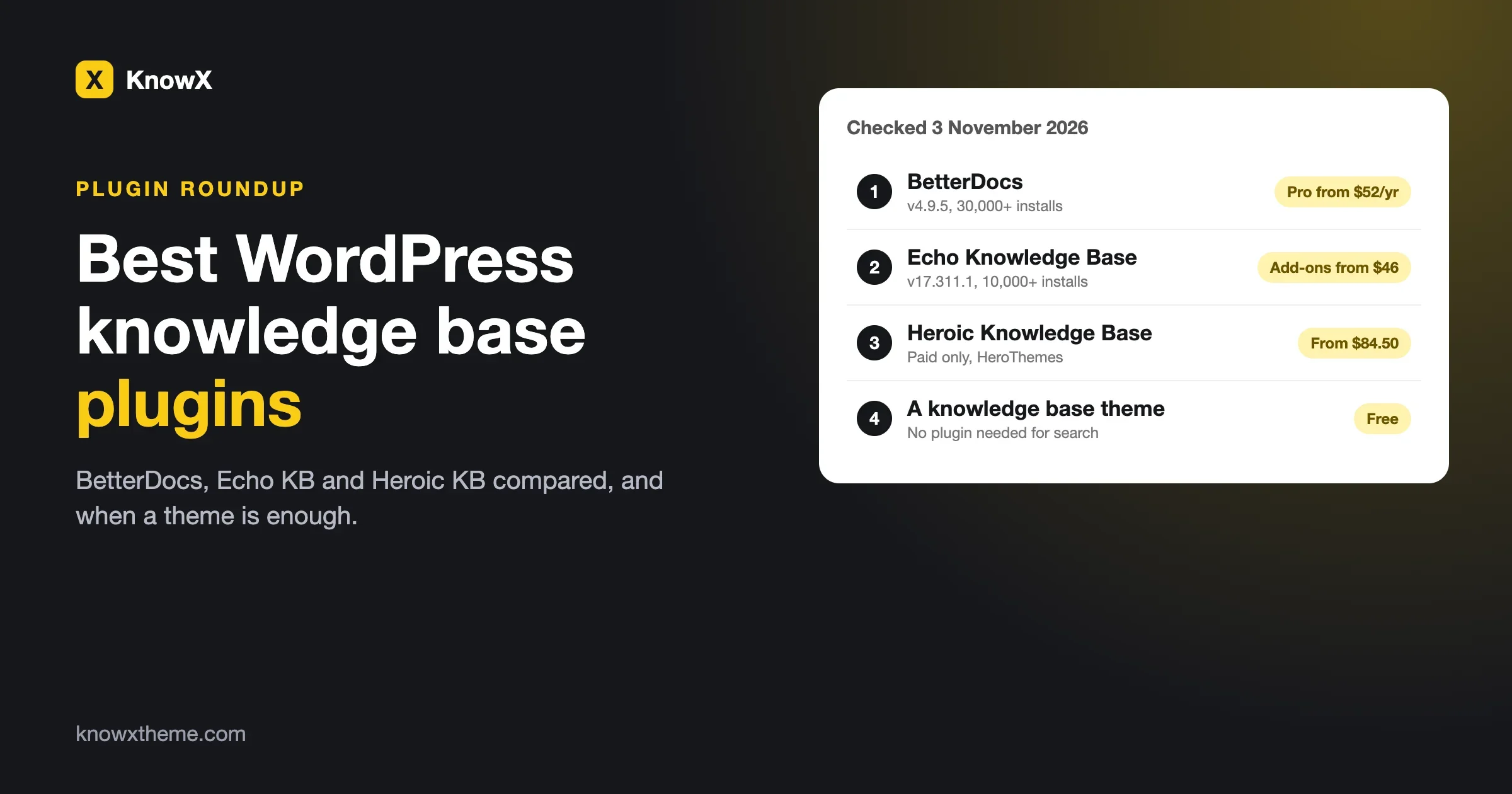
The best WordPress knowledge base plugins in 2026 are BetterDocs, Echo Knowledge Base and Heroic Knowledge Base. BetterDocs has the largest free version, with 30,000+ active installs on WordPress.org. Echo Knowledge Base is a close second with 10,000+ installs and a free version that already includes live search and article quizzes. Heroic Knowledge Base is paid only, from $84.50 for the first year. If your whole site is documentation, a knowledge base theme can be enough and you may need no plugin at all. We checked each plugin’s WordPress.org listing and its vendor’s pricing page on 3 November 2026.
- BetterDocs: version 4.9.5, updated 12 October 2026, 30,000+ installs. Pro starts at $52 a year for one site, or $194 once for unlimited sites.
- Echo Knowledge Base: version 17.311.1, updated 17 October 2026, 10,000+ installs. Paid add-on bundles start at $46 for the first year, one site.
- Heroic Knowledge Base: sold by HeroThemes, no free version in the WordPress.org directory under the names we tried. Plans run from $84.50 to $299.50 for the first year.
- Multiple knowledge bases: BetterDocs and Echo both list this as a paid feature. Check this first if you document more than one product.
- When a theme is enough: one site, one or a few products, search, categories and no need for voting, analytics or restricted articles.
- Renewals: most of these prices are introductory. Read the renewal price before you buy.
What does a knowledge base plugin actually do?
WordPress already lets you publish articles and sort them into categories. A knowledge base plugin adds the parts that make those articles work as a help center: a search box that finds answers as people type, a documentation layout with a sidebar and table of contents, categories shown as tidy tiles, and often feedback buttons and reports on what people search for.
That list sounds long, so here is the short test. If a visitor with a question can arrive, type three words, and reach the right article in under a minute, your knowledge base is working. Everything else is a bonus.
If you are still deciding between a plugin and a theme, our guide WordPress Knowledge Base: Theme or Plugin? covers that choice. We also have a roundup of the best free WordPress knowledge base themes. This post compares the plugins and says when none is needed.
How do the three plugins compare?
Counts and versions come from the WordPress.org plugin API on 3 November 2026. Prices come from each vendor’s own pages the same day. We rounded the WordPress.org star ratings to one decimal.
BetterDocs | Echo Knowledge Base | Heroic Knowledge Base | |
|---|---|---|---|
Where you get it | WordPress.org plus Pro | WordPress.org plus paid add-ons | HeroThemes, paid |
Version checked | 4.9.5, updated 12 Oct 2026 | 17.311.1, updated 17 Oct 2026 | Not shown on the vendor page |
Active installs | 30,000+ | 10,000+ | Not applicable |
WordPress.org rating | About 4.8 of 5 from 515 ratings | About 4.9 of 5 from 124 ratings | Not applicable |
Minimum PHP | 7.4 | 5.6 | Not shown |
Free live search | Yes, an in-built live search bar | Yes, an AJAX search bar | No free version |
Multiple knowledge bases | Pro | Paid add-on | Not clearly listed on the plan page |
Article feedback | Not clearly labelled | Paid add-on (upvote and downvote) | From the Plus plan |
Search analytics | Pro, listed under analytics | Paid, with Advanced Search | From the Plus plan |
Restricted articles | Not clearly labelled | Paid, Access Manager | From the Plus plan (user restriction) |
AI features | Free MCP connection; chatbot is a paid add-on | AI chat and search, optional and off by default | Heroic AI Assistant on the top plan |
Paid price, first year, one site | $52 | $46 to $170, by bundle | $84.50 |
Treat the table as a map and read the next sections for the details. Features move between free and paid from time to time, and the plugin pages themselves are sometimes inconsistent, so check the listing the day you buy.
BetterDocs: the biggest free version
BetterDocs is the most widely installed plugin of the three. Its WordPress.org page lists ready-made template designs for the docs landing page, single docs and archives, a table of contents with a sticky option, an in-built live search bar, list and grid views, import and export of CSV and XML files, a reading-time estimate and migration from tools such as Help Scout. It works with Elementor and with block themes, and it lists a free connection that lets AI assistants such as Claude and ChatGPT read your docs through MCP.
What is paid in BetterDocs
The same page marks these as Pro: multiple knowledge bases for separate products, advanced search and popular docs, attachments on single docs, related-doc embedding, glossaries with tooltips, an AI chatbot add-on, analytics, management of an internal knowledge base and Git integration. The page is not consistent everywhere. A few items, such as roles and analytics, appear untagged in one list and as Pro in their own sections, so confirm what you need before you buy.
What BetterDocs Pro costs
On its own site, BetterDocs showed three plans: Starter at $52 a year for one site (struck through from $69), Innovator at $104 a year for unlimited sites (from $149), and Visionary at $194 billed once for unlimited sites with lifetime updates (from $299). The AI chatbot add-on is sold separately at $8.99 a month or $69 a year and needs Pro. A 14-day refund window applies. The page uses a dollar sign without naming the currency, and the renewal price for the yearly plans is not shown on the page we read.
Who BetterDocs suits
A site that wants a polished docs layout today, with the option to grow into Pro, and a team happy to pay for multiple knowledge bases if it adds a second product. The lifetime plan is the cheapest long-run route on this list if you run several sites.
Echo Knowledge Base: the most in the free version
Echo Knowledge Base reads like a toolbox. The free listing includes an AJAX search bar, categories and subcategories nested up to five levels, FAQ layouts with a shortcode, breadcrumbs, previous and next navigation, print and PDF options, a table of contents, a front-end visual editor, ready-made layouts, popular and recent article lists, a glossary, article quizzes, an article views counter and a customisable category archive page. It also lists optional AI chat and AI search features that are off by default.
What is paid in Echo
The paid side is sold as add-ons: advanced search with keyword highlighting, category filters and search analytics, granular content protection by user group or role, unlimited knowledge bases, import and export, a user feedback system with upvote and downvote, article links, and a set of Pro AI features. Its FAQ lists the grid and sidebar layouts as Pro. As with BetterDocs, the listing disagrees with itself in a couple of places, such as AI content analysis, so check the version of the page you read.
What Echo costs
Echo’s bundle page showed three one-site bundles, with a dollar sign and no stated currency:
Bundle | First year | Regular price | Renewal | Adds |
|---|---|---|---|---|
Basic Add-ons | $46 | $105 | $28 | AI chat and search, content analysis, layouts, link editor, widgets, ratings and feedback |
Professional | $89 | $200 | $53, or lifetime support and updates | Everything in Basic, plus unlimited knowledge bases and advanced search |
Access Control | $170 | $380 | $102 | Everything in Professional, plus Access Manager, KB Groups and custom roles |
The header also lists tiers for up to 3 and up to 10 websites, with no prices on the page we could read. Echo’s main pricing page was password-protected when we visited, so the bundle page is our source.
Who Echo suits
A team that wants a lot working before paying anything, and that may later need restricted articles for customers or staff. The renewal prices are lower than the first-year list prices, which helps over three years.
Heroic Knowledge Base: a paid product built for support teams
Heroic Knowledge Base is made by HeroThemes and sold only through its own site. We did not find it in the WordPress.org directory under the plugin names we tried, so there is no free trial version to install from there and no public install count.
HeroThemes’ product page showed three plans, all priced in US dollars, with introductory first-year prices and a note that renewals are at full price:
Plan | Sites | First year | Regular price | What it adds |
|---|---|---|---|---|
Essential | 1 | $84.50 | $169 | Dedicated knowledge base theme, FAQ builder, glossary, multilingual support, attachments, table of contents, CSV import |
Plus | 3 | $174.50 | $349 | Search analytics, article feedback, internal and external site support, user restriction |
Pro + AI | 5 | $299.50 | $599 | Heroic AI Assistant, integrations with Slack, Help Scout, WPForms, Formidable Forms and Gravity Forms, premium support |
Instant search as you type is listed as part of the core features in every plan, plus unlimited users and updates. The page also advertises a 14-day money-back guarantee. It does not clearly list multiple knowledge bases as a plan feature, so ask before you buy if you need them.
Heroic is the plugin to look at if you want search analytics and article feedback in one paid package from the start, without picking add-ons one by one. The price is higher than the others, and the renewal at full price is the thing to plan for.
What will each cost over three years?
Introductory prices make year one look cheap, so here is a three-year view for one site where the pages show the numbers. We left out hosting, which is the same for all options.
Option | Year 1 | Year 2 | Year 3 | Three-year total |
|---|---|---|---|---|
Echo Professional | $89 | $53 | $53 | $195 |
Echo Access Control | $170 | $102 | $102 | $374 |
Heroic Essential, if renewed at the regular price | $84.50 | $169 | $169 | $422.50 |
Heroic Plus (3 sites), if renewed at the regular price | $174.50 | $349 | $349 | $872.50 |
BetterDocs Visionary, lifetime | $194 | $0 | $0 | $194 |
BetterDocs Starter | $52 | Not shown | Not shown | Not shown |
The BetterDocs yearly renewal is not on the page we read, so we left it out rather than guess. Heroic’s figures use the regular price, because its page says renewals are at full price. These are arithmetic on listed prices, not quotes from the vendors, so confirm them at checkout.
When is a knowledge base theme enough?
A plugin earns its price when you need something the WordPress editor does not do by itself: separate knowledge bases for separate products, restricted articles, voting, or reports on what people search for. If you need none of that, a theme can carry the whole site and leave you with fewer plugins to update.
A theme is probably enough when:
- The whole site is documentation or a help center.
- You have one product or a few, and top-level categories can separate them.
- You do not need article voting, search reports or AI answers on day one.
- You want the fewest moving parts to keep updated.
Our own free theme, KnowX, is built for that case. According to its WordPress.org page, it is a fast documentation and FAQ theme for one product or many, with product cards, a section tree, instant search, FAQ and structured data, and no plugins required. We say plainly what it leaves out: as a theme, it has no article voting, no search analytics, no AI answers, no ticketing and no per-article access roles. Those come from plugins if your site needs them. Our guide How to Build a Knowledge Base on WordPress with KnowX shows the build, and what changed in KnowX 2.0.0 lists the update notes.
You can also pair a general theme with a plugin. The free themes roundup covers Astra or Kadence with BetterDocs or Echo for a business site that needs a help section inside a design you already like.
Which plugin should you pick?
Your situation | Start with | Why |
|---|---|---|
One site, one product, tight budget | BetterDocs or Echo, free versions | Both ship live search and layouts without paying |
Several products, separate help centers | BetterDocs Pro or Echo Professional | Both list multiple knowledge bases as paid |
Staff-only or customer-only articles | Echo Access Control, or Heroic Plus | Both list restriction by user or role |
You want to see what visitors search for | Heroic Plus, Echo with Advanced Search, BetterDocs Pro analytics | Each lists search reports as a paid feature |
Lifetime licence, many sites | BetterDocs Visionary | One payment, unlimited sites |
Docs only, fewest plugins | A knowledge base theme such as KnowX | No plugin needed for search and categories |
How do you test a plugin before you pay?
- Write down twenty real questions. Use questions from your support inbox, in your customers’ own words.
- Add ten articles. Enough to see how categories and search behave.
- Install the free version on a staging copy. Do not test on the live site.
- Type each question into the search box. Count how many land on the right article in the first three results. Our post on knowledge base search not finding answers explains why wording matters.
- Look at a phone. Most help-center visitors arrive on one.
- Decide what is missing. If the free version answers twenty of twenty, you may not need to pay.
What should you check before you buy?
- The renewal price. Vendors show an introductory price first. Look for the full price on the same page.
- Which feature sits in which plan. Listings sometimes tag the same feature differently in different sections.
- How many sites the licence covers. Echo bundles are for one site unless you pick a larger tier.
- The refund window. BetterDocs and Heroic each list a 14-day money-back guarantee.
- Last update and PHP version. Both WordPress.org listings were updated in October 2026.
- Your exit. Ask how articles are stored. Plugins that use their own post type mean a migration later, and our guide to moving a knowledge base shows what to check.
What goes wrong after you install a knowledge base plugin?
The same few problems turn up on almost every site. Here is each one with the symptom, the check and the fix.
Search returns nothing for a question you have an answer to
The symptom is a customer typing a plain question and getting no results. The check is to search for the exact words a customer would use, not your own titles. The fix is usually wording: add the customer’s phrase to the article title or first paragraph. To prevent it, keep a list of questions from support and test them each month.
The help center looks different from the rest of the site
The symptom is a docs section with fonts and colours that clash with your theme. The check is to open one docs page and one normal page side by side. The fix is to use the plugin’s own style settings or a layout that inherits your theme. A knowledge base theme avoids this because the whole site shares one design.
A paid feature you counted on is not in your plan
The symptom is a missing menu item after you pay. The check is to read the plan comparison and the plugin’s own feature list before buying, and to ask the vendor in writing about anything you rely on. The fix is an upgrade or a refund within the guarantee window. To prevent it, buy the lowest plan that covers your two or three must-have features.
The renewal costs more than the first year
The symptom is an invoice that is double what you expected. The check is the renewal line on the pricing page, which Heroic states plainly and which Echo lists as a separate renewal price. The fix is to budget the regular price from the start, or to choose a lifetime plan if you plan to keep the site for years.
You cannot leave without rebuilding
The symptom is articles that vanish when you deactivate the plugin. The check is to deactivate it on a staging copy and see what remains. The fix is an export before you switch. To prevent it, favour tools that store articles in a form you can export, and keep a copy of your content outside the site.
How do you set up your first help center with any of them?
- List the top twenty questions. Pull them from email, chat and support tickets.
- Sort them into five or six topics. Our guide to structuring knowledge base categories has four rules for this.
- Write each answer in five parts. The article template on this site gives a copyable shape.
- Install the free version of your chosen plugin on staging. Place the articles in the plugin’s categories.
- Add a link in your main menu and in the footer. A help center nobody can find does not help anyone.
- Review once a month. Retire stale articles and add new ones from fresh questions.
Frequently asked questions
What is the best WordPress knowledge base plugin?
For most small sites, BetterDocs or Echo Knowledge Base, because both have a free version with live search and layouts. BetterDocs has more installs, 30,000+ against 10,000+. Echo includes more in its free version. Heroic Knowledge Base is a paid-only option with analytics and feedback in its Plus plan.
Is BetterDocs free?
There is a free version on WordPress.org. Multiple knowledge bases, advanced search, attachments, glossaries, analytics and the AI chatbot add-on are marked Pro. Pro starts at $52 a year for one site on the vendor’s page.
Is Echo Knowledge Base free?
Yes, the core plugin is free and includes search, nested categories, FAQs, a glossary and quizzes. Advanced search, restricted content, unlimited knowledge bases and user feedback are paid add-ons, with bundles from $46 for the first year.
Is Heroic Knowledge Base worth the price?
It can be for a support team that wants search analytics, article feedback and integrations in one package. It costs more than the others over three years if you renew at the regular price, so compare it with Echo Professional and BetterDocs Pro for the features you actually need.
Do I need a plugin for a WordPress knowledge base?
Not always. WordPress posts, categories and a good theme can run a small knowledge base. A plugin adds multiple knowledge bases, voting, analytics and restricted articles. Our theme or plugin guide has a ten-minute checklist.
Can a plugin hide articles from some visitors?
Echo lists granular content protection as a paid feature, and Heroic lists user restriction from its Plus plan. BetterDocs lists role management with inconsistent labels, so confirm with the vendor. A theme alone does not do this.
Which is best with Astra or Kadence?
BetterDocs and Echo are the two most often paired with those themes. Both are free on WordPress.org, so you can test each on a staging site with your own theme before deciding.
Can I switch plugins later?
Yes, but plan for it. Articles stored as ordinary posts move easily, while content in a plugin’s own format needs an export and import. Both BetterDocs and Echo list CSV and XML import and export, and BetterDocs lists migration from Help Scout.
If your site is all documentation, try the free KnowX knowledge base theme first, and add a plugin only for the feature you find missing. If you want help choosing or migrating, our team can talk it through on the custom development page.