KnowX 2.0.0: What a Docs Site Owner Can Now Do (Read This Before You Update)
KnowX 2.0.0 is a major update. Your 1.x Customizer choices are not carried over, so review Appearance > Customize after updating. Here is what the new version lets a docs site owner do.

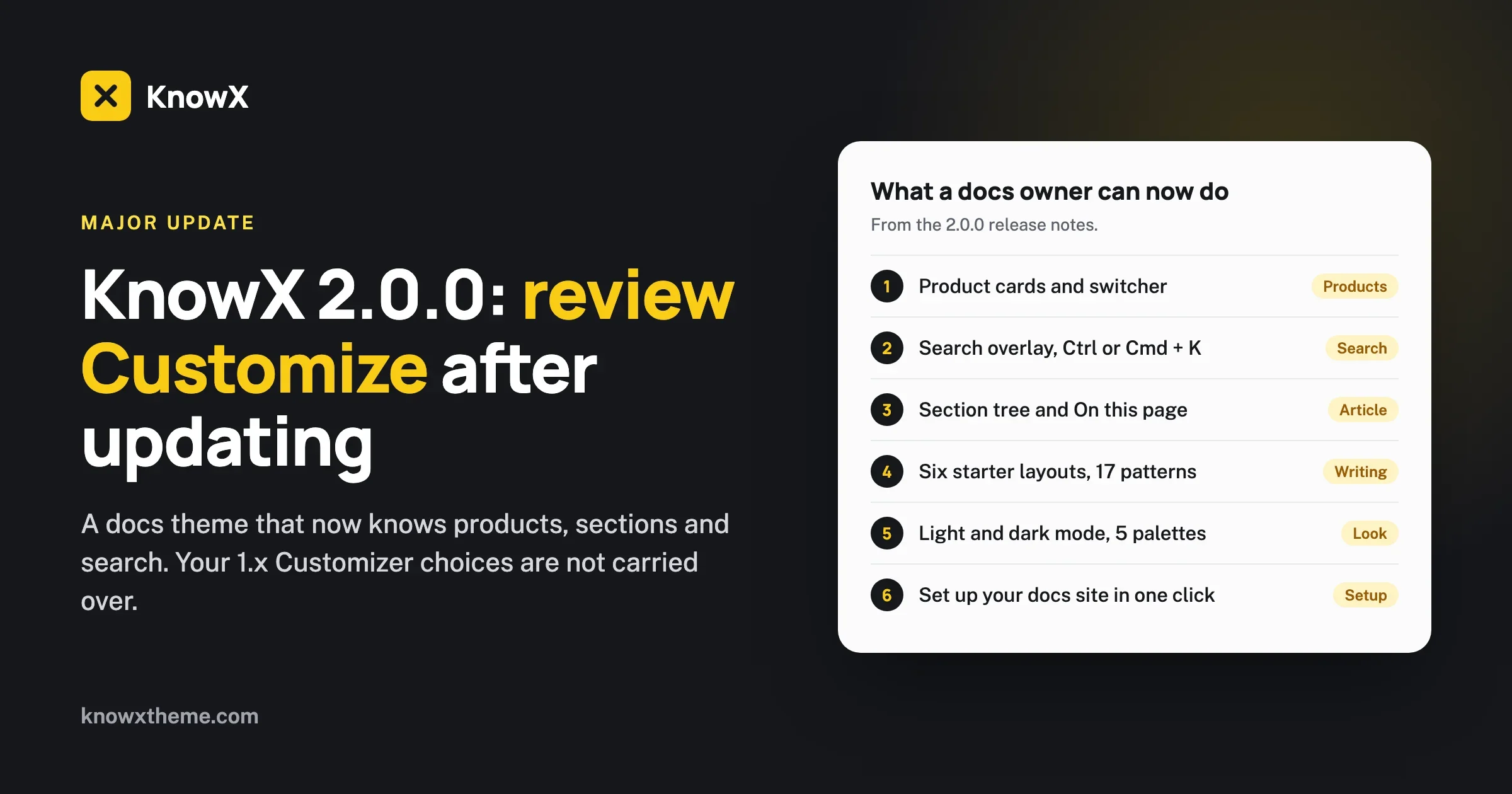
KnowX 2.0.0 is a major update, and your Customizer choices from 1.x are not carried over. If you run a knowledge base on KnowX 1.x, update on a staging copy first, then open Appearance > Customize and set your colours, fonts, logo and layout choices again. Nothing in your articles is touched. The theme settings are what start fresh.
That is the one warning. The rest of this post is about what you gain. KnowX 2.0.0 is listed on WordPress.org as updated on 19 October 2026, and it asks for WordPress 6.9 and PHP 8.1. The list of changes is long, so we grouped it by what you, as the owner of a docs site, can now do that you could not do before.
We write this as the team behind the KnowX site, working from the release notes and from the theme page on WordPress.org. Where a feature is not in those notes, we do not claim it. If you are new to KnowX, our guide on how to build a knowledge base on WordPress with KnowX covers the basics, though it was written for 1.x, so some Customizer steps in it have moved.
What do I do first when I update from 1.x?
Treat the update as a small migration, not a button press. The symptom you will notice is simple: after updating, the site looks plainer or different, because the colour, font and layout choices you saved in the Customizer under 1.x are not read by 2.0.0. The theme has a new Customizer, built into the theme, and it starts from its own defaults.
Here is the order we suggest.
- Back up. Take a full backup of files and database. If your host offers a one-click staging copy, use it.
- Write down your 1.x choices before you update. Open Appearance > Customize on the old version and note the logo, colours, fonts, header options, footer text and the homepage layout you chose. A phone photo of each panel is enough. You will want them in ten minutes.
- Update on staging. Check that the theme activates and that your articles still display.
- Open Appearance > Customize and set your choices again. The Customizer now has ten short sections with plain labels, so this goes quickly. The live preview shows each change as you make it.
- Check what was removed. A few 1.x settings no longer exist (the full list is further down). If you relied on one of them, decide now whether you need a plugin or a small piece of custom code to replace it.
- Update the live site at a quiet hour and repeat step 4 there.
One more thing worth knowing: the Kirki plugin and the plugin recommendations are gone. In 1.x the KnowX panels in the Customizer needed the Kirki Toolkit plugin. In 2.0.0 the Customizer is part of the theme. You can deactivate Kirki afterwards if nothing else on your site uses it. Check first, because other themes and plugins sometimes depend on it.
Who is this update for?
KnowX is a free theme for documentation sites, help centers and knowledge bases, made by Wbcom Designs. The 2.0.0 line is aimed at a specific kind of owner: someone who has one product or several, wants readers to find an answer quickly, and does not want to hand-build navigation. If that is you, almost everything below applies. If you only publish a handful of articles on one topic, you will still gain the search overlay, the article layout and the dark mode toggle.
The theme page on WordPress.org describes it in one line: a fast documentation and FAQ theme for one product or many, with product cards, a section tree, instant search, FAQ and structured data, and no plugins required. The sections below unpack that line.
Can I run docs for several products on one site?
Yes, and this is the biggest change in the release. KnowX 2.0.0 adds a Products structure. Your top-level categories become product cards on the docs home, each with an icon, a description and an accent colour. A product switcher in the header lets a reader jump from one product to another without going back to the home page.
If your site has only one product, the theme does not make you click through a pointless card. A site with one product lists its sections directly.
Under each product you organise articles into sections. Articles can also be filed directly on a product, without a section. Those appear first in an Overview card on the product page and on the docs home. That is handy for the short “what is this product” page that does not belong in any section.
Two details from the notes matter if you manage a large tree:
- The Docs Index follows the “Order in section” value, leaves out products that have no articles of their own and names the product above each section.
- Excluding a product now also hides its sections and articles from the Docs Index.
If you want to change what the Overview card shows or what it is called, two new filters exist for that: knowx_overview_articles and knowx_overview_title. That is a job for a child theme or a developer, not a setting.
How do readers find an answer faster?
Docs sites live or die on search and navigation. KnowX 2.0.0 changes both.
Instant search overlay
A search overlay opens with Ctrl+K (or Cmd+K on a Mac). It can be limited to the current product, which matters when two products use the same words for different things. A reader on the page for product A searches within product A and does not get product B’s articles mixed in.
The search results page, archives, the 404 page and the comment form now follow the same docs style, so a reader who falls off the happy path does not land on a page that looks like a different site.
A proper article layout
A KnowX article now includes:
- a section tree beside the article, so the reader sees where they are;
- an On this page list built from the headings;
- a copy-link control on headings, so support staff can send someone straight to the right paragraph;
- copy buttons on code blocks;
- previous and next links;
- related articles;
- a last updated date.
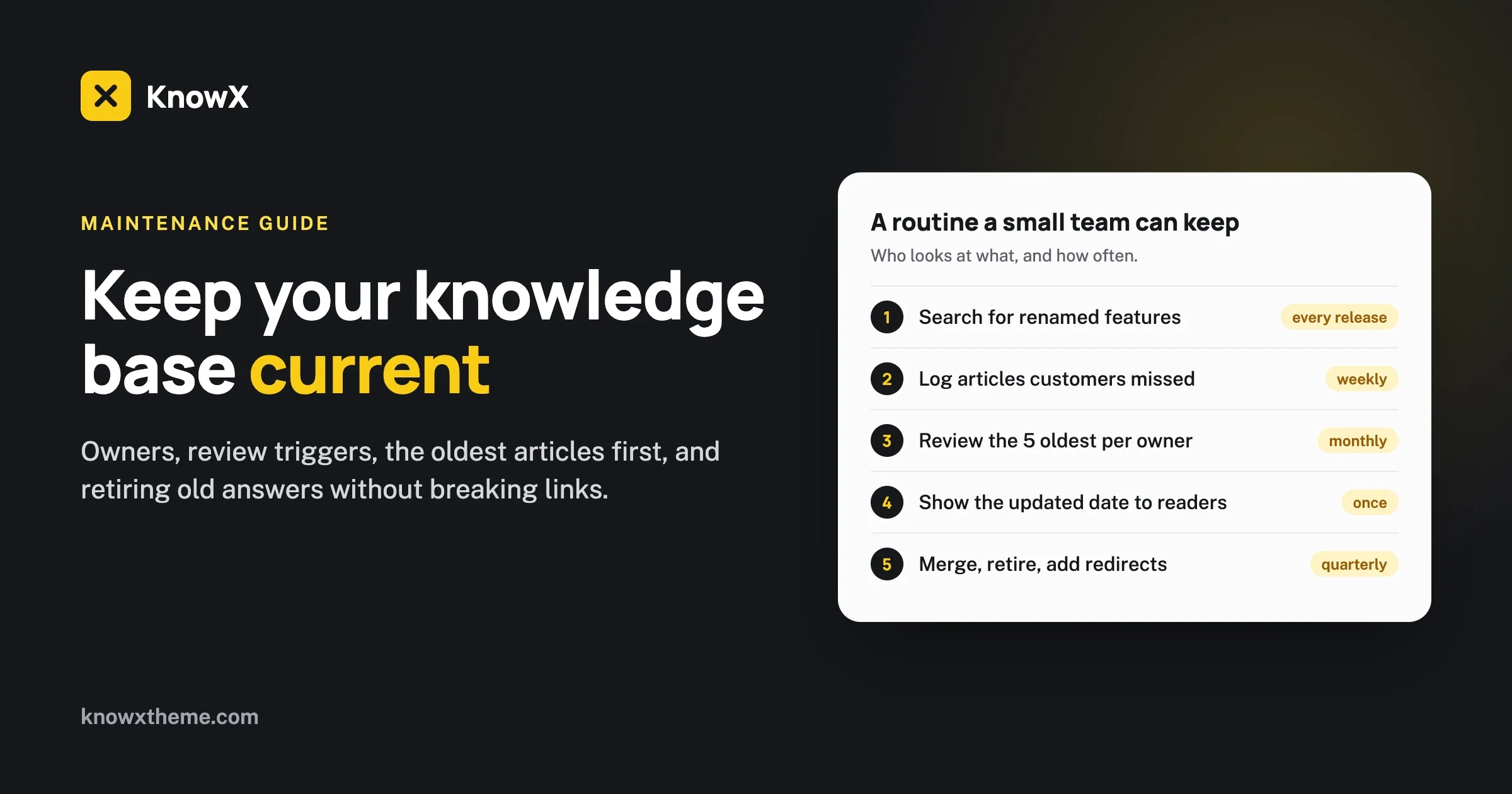
The last updated date is worth a moment. An old article without a date is a trust problem: the reader cannot tell whether the steps still work. If you have a review routine, the date shows that you run it. We wrote about building one in keeping a knowledge base current.
Order articles the way a reader should read them
There is a new Article Order field in the block editor, and it is also exposed in the REST API. Number your “Getting started” articles 1, 2, 3 and they appear in that order in the section tree and in the previous and next links, instead of by publish date. The REST exposure means a developer can set the order in bulk when importing a large set of articles.
Phones and tablets
A lot of the notes are about small screens, and they are specific:
- On tablets, the section tree sits beside the article from 900 px wide.
- Text lines stay at about 72 characters, which is a comfortable reading width.
- The phone header is one row, with the article title in the first third of the screen.
- The phone menu is a real dialog: focus moves into it and stays inside, and Escape closes it and returns focus to the menu button.
- Tables scroll sideways, and they can be scrolled with the keyboard too.
- A long breadcrumb trail scrolls sideways and fades at the start rather than cutting words in half.
- Tap targets are at least 40 px on phones.
If you have ever opened your own help center on a phone and found the menu drawer showing two menus, or the search box pushed off screen, these are the fixes. The notes list both as fixed.
Can I write articles faster and keep them consistent?
Consistency is the quiet problem of any docs site with more than one author. Every writer formats a troubleshooting article differently. KnowX 2.0.0 gives you tools to stop that.
Six starter layouts
When you add a new article or page, you can start from one of six layouts: getting started steps, troubleshooting, API endpoint, docs home, FAQ and changelog entry. A new writer picks one and fills it in instead of staring at a blank page.
Seventeen block patterns
The theme ships 17 block patterns. The notes name callouts, prerequisites, troubleshooting, API endpoint, compatibility table and next steps, “and more”. Using the same prerequisite block in every article teaches readers where to look. We suggest you agree on three or four patterns as house style and tell your writers to use only those.
An “applies to version” badge
If your product has versions, an article about the old behaviour can mislead. The badge lets you mark an article as applying to a particular version. It does not build a full versioned-docs system (the notes do not claim that), but for many small products a visible badge is enough to stop a support ticket.
FAQ and Changelog page templates
Two page templates are new: FAQ and Changelog. The FAQ template can output FAQ structured data, and you can switch that off for the whole site or for one page. We come back to that below.
A one-click start
This is the feature we would have wanted when we first set up KnowX. Once the theme is active, a one-time notice, Set up your docs site, offers two choices: add sample docs (two products, an FAQ, a changelog and a menu) or add an empty docs home. Activating the theme alone changes nothing, so a live site is never surprised.
The sample docs are a good way to learn how products, sections and the Overview card fit together. Delete them when you are done. There is also a WordPress Playground blueprint with the same sample docs, which means you can try the theme in a browser without installing anything. Developers can use the filters knowx_sample_content and knowx_show_setup_notice, and the action knowx_sample_content_created, to ship their own demo content or hide the notice in a child theme.
Will the site look like mine, and not like a template?
After the update you will redo your Customizer choices. Here is what you have to work with.
- Light and dark mode with a toggle for the visitor. Dark mode keeps its own palette, and the colour settings now say plainly that they apply to light mode.
- Five colour palettes to start from, plus your own colours for links, text, headings, backgrounds, header and footer, with a live preview in the Customizer.
- A corner style setting. Buttons, inputs and tap targets follow it.
- A footer menu location.
- A docs home that switches between cards and sections.
- A Remove image button on the Background control, which seems small until you need it.
A few fixes in the same area are worth noting, because they change what you can expect. Saved Customizer colours are no longer overridden by a duplicate set of defaults in the content stylesheet. The Docs Home hero colour and image now show, with readable text on a dark colour. A square logo no longer makes the header 150 px tall; logos display up to 48 px tall. A header image sits above the header bar. Content Width stays between 1000 and 1920 pixels. Text set in the Customizer follows the reader’s browser font size, which is good for readers who have enlarged their text.
What changed for search engines and for AI tools that read my docs?
KnowX 2.0.0 outputs schema.org data for the site, articles, breadcrumbs and FAQ, and a meta description. The notes add that article structured data now names the publisher and an image, and that an SEO plugin’s schema is no longer printed twice. That duplicate output was a real nuisance if you ran an SEO plugin alongside the theme.
FAQ structured data has its own switch, which can also be turned off on a single page. Switch it off on a page where the questions are not really a public FAQ.
We are careful here. Structured data helps search engines understand a page. It does not promise a rich result, and the notes do not say it does. If you want your help articles to be readable by AI assistants, the cleaner, more consistent markup helps, but the bigger gains come from writing good articles. Our checklist on making a knowledge base readable by AI assistants covers that.
Is the theme fast and accessible enough for a big docs site?
The notes give several concrete facts, so we can be specific.
- Open Sans is served from your own site. The page loads no jQuery and no icon font.
- The docs lists are cached with automatic invalidation, and they are bounded, so large sites stay fast. That means a site with thousands of articles does not build an unbounded list on each request.
- Images get correct size hints, and blog posts print one category list, one edit link and one comment link instead of repeating them.
- Menus with child items open with the keyboard on wide screens and close with Escape.
- Buttons and inputs show a clear focus outline and a disabled state.
- Right-to-left sites mirror correctly, including text alignment, code copy buttons, list arrows and the desktop menu. If you publish in Arabic or Hebrew, this is a real change.
- The copy button says when copying is not available, instead of failing silently.
On the developer side, the release lists an accessibility check on every page type, PHPStan, PHPUnit and a documented content model as part of its development setup. You do not need those to use the theme, but they tell you how the team tests it.
What was removed in 2.0.0?
A major version removes things. The notes list these as removed from 1.x:
- Google Fonts loading (Open Sans is served from your site instead);
- login page branding;
- the page loader;
- button colour settings;
- a separate font for each heading level;
- the sub-header and header search switches;
- the blog grid options.
Go through that list against your 1.x notes from the first section. If your site had a branded login page, a page loader or a blog grid, those are gone. If you need a branded login screen, a small plugin or a few lines in a child theme is the usual route. Do not wait until a customer reports a plain login page.
A related point from the fix list: a font from 1.x that the theme no longer loads falls back to the default font, and the Typography control shows it. So if your site was using a Google font, expect the fallback until you choose again.
Which comments and support settings should I check?
There are two new switches. Comments on articles are off by default, and articles end with a “Still need help?” block. If your 1.x site had comments open on articles and you relied on them, turn them back on in the new switch. The comment reply script loads on articles only when article comments are on, which keeps pages lighter.
KnowX is a theme, and it stays one. As a theme, it has no article voting, no search analytics, no AI answers, no ticketing and no per-article access roles. Those come from WordPress plugins if your site needs them. The “Still need help?” block is a prompt that points the reader onward; it is not a ticketing system. Pair it with whatever support channel you run. The notes also mention that the docs home no longer shows a support block without a link, which closes an old gap where an empty support box appeared.
A checklist you can use on update day
Print this, or paste it into your task list.
- Back up files and database.
- Note your 1.x Customizer values: logo, colours, fonts, header, footer text, homepage layout.
- Check that your host runs PHP 8.1 or newer and WordPress is 6.9 or newer. The theme requires both.
- Update on staging first.
- Open Appearance > Customize and rebuild your look in the ten sections.
- Choose a colour palette, check light mode and dark mode, and look at contrast on both.
- Run “Set up your docs site” on a staging copy if you want to see how products and sections work. Remove the sample content afterwards.
- Create or confirm your products (top-level categories), then fill in the icon, description and accent colour of each.
- Set the Article Order on your first-read articles.
- Try Ctrl+K or Cmd+K search, with and without the current-product limit.
- Check the comments switch and the FAQ structured data switch.
- Look at removed features: login branding, page loader, blog grid, button colours.
- Open the site on a phone and on a tablet. Open the menu, search and a long table.
- Deactivate Kirki if nothing else needs it.
- Update the live site and repeat the Customizer work there.
Common problems after the update, and the fix
The site looks plain or my colours are gone
Check: Appearance > Customize. Cause: 1.x values are not carried over. Fix: choose a palette or set your own colours. Prevent: keep a note of your brand colours outside the Customizer.
The KnowX Customizer panels from 1.x are missing
Check: you may be looking for the old panels under Kirki. Cause: the Customizer is now built into the theme and organised in ten short sections. Fix: look for the plain labels in the new sections. Prevent: read the section names once before you hunt for a setting.
My docs home shows nothing useful
Check: have you created products from top-level categories, and do they contain articles? Cause: products with no articles of their own are left out of the Docs Index, and a docs home needs content to show. Fix: add articles, or run the sample content on staging to see the intended shape. Prevent: plan the category tree before you import.
The login page lost its logo
Cause: login page branding was removed in 2.0.0. Fix: a small plugin or a few lines in a child theme. Prevent: read the removed list before updating.
Should you update now?
If you are on 1.x and happy, there is no emergency. Plan the update, do it on staging and give yourself an hour for the Customizer. If you are starting a new docs site, install 2.0.0 and use the sample docs to learn the structure. You will need PHP 8.1 or newer, and WordPress 6.9 or newer.
The pattern across the release is clear. KnowX 1.x was a good-looking theme that sat in front of ordinary posts and categories. KnowX 2.0.0 knows what a docs site is: products, sections, a tree, an order, versions, an overview and a fast way to search. You can see it on the theme page at wordpress.org/themes/knowx, and the full list of changes is in the KnowX release notes.
If you would like a hand planning the structure of a large docs site, or moving an existing help center onto WordPress, see our page on the WordPress knowledge base theme and our knowledge base software overview. KnowX itself is free.