What Is a Knowledge Base? Meaning, Types and When You Need One
What a knowledge base is, the main types, how it differs from knowledge management, and when you need one.

A knowledge base is an organised collection of information that people can search and read to find answers. The word has two meanings. In computing, it first meant a store of facts that a computer program could reason with. In business, it now usually means a help site or internal wiki written for people, such as a customer help center or a staff handbook. This guide is about the second meaning. It explains what a knowledge base is, the main types, how it differs from knowledge management (a word people often mix up with it), and when you need one.
We make KnowX, a free WordPress theme for knowledge bases, so we use it for examples. We say plainly what it does and does not do. Definitions below come from encyclopedia articles, named in the text and read on 11 November 2026.
What is a knowledge base? The meaning in plain words
Think of a knowledge base as a library of answers. Each article answers one question or explains one task. The articles are grouped by topic, and a search box helps people find the right one. Anyone who has looked up how to reset a password on a company’s help site has used a knowledge base.
A good knowledge base has four parts:
- Articles. Short pieces that answer one question or explain one task.
- Structure. Topics, so people can browse when they do not know the right word to search for.
- Search. A way to type a question in the reader’s own words and land on the right article.
- Care. Someone who keeps the articles correct, so people can trust them.
The fourth part is the one that fails most often. A knowledge base that nobody updates turns into a pile of old pages. We cover the upkeep in keeping a knowledge base current.
Where does the term come from?
The Wikipedia article on knowledge bases says the term was first used for one of two parts of an expert system: a knowledge base that holds facts about the world and ways of reasoning about those facts. In that sense the knowledge was meant for a computer. It describes a knowledge base as a set of statements in a formal language, with ways to add new statements and to ask questions of them.
The same article says that in the knowledge management setting, the knowledge was mainly meant for people, and it notes that in practice the two uses were not always kept apart. When someone today says “our knowledge base”, they nearly always mean the human kind: a place where staff or customers read.
A knowledge base is not a database. A database stores structured records, such as customers and orders, and a program queries it. A knowledge base stores explanations that a person reads. Some products blend the two, but for a small team the difference is simple: a database holds data, and a knowledge base holds answers.
What are the types of knowledge base?
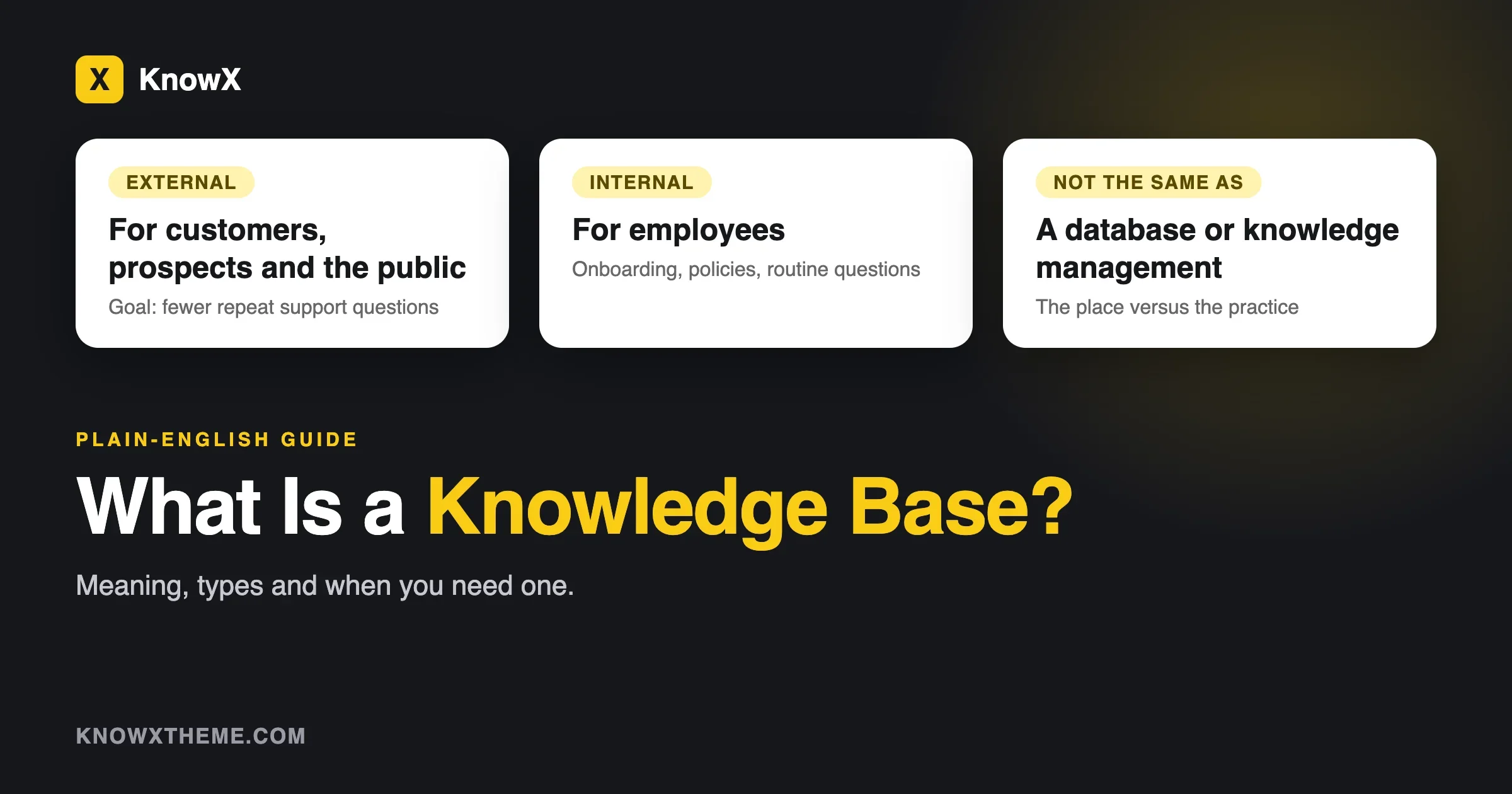
The Wikipedia article sorts knowledge bases by audience into two kinds. An external knowledge base is made for customers, prospects and sometimes the public, and its main goal is to reduce the load on customer support. An internal knowledge base is a corporate wiki for employees, used for onboarding, documenting policies and answering routine questions.
We find it useful to add a second view, by the kind of content. This one is our own grouping, not a standard.
Type | Audience | What it holds | Example question |
|---|---|---|---|
Customer help center | Customers | How-tos and troubleshooting for a product or service | How do I change my billing email? |
Product documentation | Users and developers | Setup, features, reference and release notes | What does this setting do? |
FAQ | Customers | Short answers to the same few questions | Do you ship abroad? |
Internal knowledge base | Staff | Policies, processes and onboarding | How do I book leave? |
Wiki | A team or community | Pages many people edit and link together | What did we decide about the logo? |
Our guide on internal wiki vs knowledge base explains the difference between the last two rows. For the product documentation case, see product documentation site on WordPress.
Knowledge base vs knowledge management: what is the difference?
This is the question behind many searches for “knowledge management”. The two ideas are linked but they are not the same.
- A knowledge base is a tool or a place. It is where answers live.
- Knowledge management is a practice. It is how an organisation captures, shares and uses what its people know.
The Wikipedia article on knowledge management describes it as a range of processes focused on organisational awareness, learning, collaboration and innovation, which involve the use and sharing of knowledge to support an organisation’s goals. It says the field gained prominence in the 1990s and emerged as a scientific discipline in the early 1990s, and it notes that earlier practices such as apprenticeships and corporate libraries existed long before the term did.
In short, a knowledge base is one thing a knowledge management effort can produce. A company can have a knowledge base and no real knowledge management, if nobody writes or reviews. A company can also practise knowledge management with no software at all, through mentoring and meetings.
Tacit and explicit knowledge
Knowledge management writing keeps returning to two kinds of knowledge. The Wikipedia article gives these definitions:
- Explicit knowledge is what a person holds consciously and can readily communicate to others. A process written in a checklist is explicit.
- Tacit knowledge is internalised know-how that a person may not be fully aware of, such as the feel for how to handle an angry customer.
The article on tacit knowledge credits Michael Polanyi’s 1966 book The Tacit Dimension with the line “we can know more than we can tell.” It also notes that tacit knowledge is hard to put into words and that later research called the explicit versus tacit split an oversimplification. The Wikipedia article on knowledge management names Ikujiro Nonaka and Hirotaka Takeuchi (1995) as the authors of the SECI model, which describes a spiral of exchange between tacit and explicit knowledge.
What this means for a small team: a knowledge base captures the explicit part well. The tacit part needs people to talk, show and write down the reasons behind what they do. The next section shows how to cover the tacit part as well.
What is knowledge management? A practical guide for a small team
Knowledge management has a heavy sound, and a lot of writing on it is aimed at large companies. For a small team it comes down to five habits. They fit the definition in the Wikipedia article: processes for the use and sharing of knowledge in support of an organisation’s goals.
- Capture. Write down what people learn while they work. Short notes beat long manuals nobody finishes.
- Organise. Put the notes where people can find them, under clear topics, with titles in plain words.
- Share. Tell people where the answers live, and link to them in replies and in onboarding.
- Review. Check articles on a schedule and retire the ones that are wrong.
- Use. Make the knowledge base the first place people look. If they ask in chat instead, point them to it and fix what they could not find.
The SECI spiral, in everyday terms
The Wikipedia article on knowledge management says Nonaka’s SECI model describes four steps in which tacit and explicit knowledge feed each other: socialisation, externalisation, combination and internalisation. In everyday words:
- Socialisation: people share know-how by working side by side, such as a new starter shadowing a colleague.
- Externalisation: someone puts what they know into words, for example a checklist or a short article.
- Combination: the team joins pieces together, such as merging three notes into one clear process.
- Internalisation: readers use the article until the steps become habit and part of their own know-how.
You do not need to name the model to use it. If you have a place where someone writes down what they know, and a way for others to learn from it, you are running the loop.
What a knowledge management routine looks like in a small team
When | What | Who |
|---|---|---|
Every time | Answer a question twice? Write it down once. | Whoever answers |
Weekly | Add or fix one article from the week’s questions. | Support or team lead |
Monthly | Review the articles with the most views or questions, and fix the oldest. | Topic owners |
Each new hire | Ask the new person to fix whatever confused them. | New starter |
When someone leaves | Ask them to write down the tasks only they do. | Their manager |
This is our own routine, and it is deliberately light. It leaves out measurement. KnowX has no search analytics, so on a WordPress site you would read the questions your team and customers ask, or add a plugin if you need numbers.
Common mistakes
- Starting with the tool. Choosing software before you have twenty answers is how teams end up with an empty system.
- Writing for yourself. Use the reader’s words, not your internal names for things.
- No owners. An article with no owner is nobody’s job to fix.
- Too many topics. Fifteen top-level topics make browsing slow. Start with three to six.
- No review. Without a date and a review month, a knowledge base ages quickly.
When do you need a knowledge base?
You need one when the same questions keep arriving and the answers sit in people’s heads. Look for these signs.
You answer the same question more than three times
Symptom: you copy and paste the same reply.
Check: scroll your sent mail or chat history for the last month and count repeats.
Fix: turn the reply into an article, and send the link the next time.
Prevent: add the article to the list of answers people can find by themselves.
New people take weeks to become useful
Symptom: every new starter asks the same questions in their first month.
Check: ask your last two hires what they struggled to find.
Fix: write those answers down first. They are your first articles.
Prevent: ask each new hire to fix any article that confuses them.
Only one person knows how something works
Symptom: when that person is away, the task waits.
Check: list five tasks that only one person can do.
Fix: ask that person to write a short checklist for each.
Prevent: review the list every quarter.
Customers email questions they could have answered
Symptom: support messages ask things your website could say.
Check: sort the last twenty messages into “answerable by an article” and “needs a person”.
Fix: build a customer help center for the first group. Our guide on help center vs help desk software explains when to add tickets for the second group.
Prevent: add an article each time a new question comes up twice.
When you do not need one yet
A knowledge base is not always the next step. You can wait if you have only a handful of questions, if one person answers everything quickly, or if your product changes so fast that any article would be out of date within a week. In those cases, a short FAQ page or a shared document may be enough. A tool is worth the effort when the answers stop fitting in one place.
What makes a knowledge base work?
Write for the reader’s question
Title each article with the words a person would type. “How to change your billing email” beats “Account settings overview”. Our article template gives a five-part format.
Keep the structure shallow
Three to seven topics at the top, with articles under each, is easy to scan. Our guide on how to structure knowledge base categories gives four rules.
Make search forgiving
People rarely use your words. Test your search with real questions, and add the words customers use to the article. See knowledge base search not finding answers.
Show the date and the owner
Readers trust an article that says when it was last checked. KnowX shows a “Last updated” date on articles, according to its WordPress.org page.
Look at examples
Good knowledge bases share traits you can copy. We list five in knowledge base examples.
How do you build a knowledge base?
You do not need special software to start. The steps are the same whichever tool you use.
- Collect the questions. Copy twenty real questions from email, chat and calls.
- Group them into three to six topics. Use the customer’s words.
- Write the first ten answers. Keep each to one question, with steps in order.
- Choose a home. A hosted tool, a wiki or a WordPress site with a knowledge base theme.
- Test with a stranger. Ask someone outside your team to find three answers.
- Set a review habit. Put a monthly check on the calendar.
On WordPress, KnowX is a free theme for this. According to its WordPress.org page, products are top-level categories, sections are child categories and articles are posts, with no plugin required. It has instant search that opens with Ctrl or Cmd plus K, and an article layout with a section tree and an “On this page” list. KnowX does not include article voting, search analytics, AI answers, ticketing or per-article access roles. Our guide on how to build a knowledge base on WordPress with KnowX walks through the steps, though it was written for version 1.x and some Customizer steps have moved in 2.0.0.
Three small examples of a knowledge base in use
These are made-up scenes to show how the idea looks in practice.
A two-person design studio
Clients keep asking how to send files, what the revision rules are and when invoices are due. The studio writes six articles, links them from every proposal, and stops answering the same three emails each week. This is an external knowledge base on a very small scale.
A software product with a free plan
Users ask how to install, how to fix common errors and what changed in each release. The team keeps product docs, a troubleshooting section and a changelog. Readers search first and email second.
A growing shop with new warehouse staff
New starters ask where things are kept, how to pack fragile items and who to call about a damaged delivery. The shop writes a short internal knowledge base with photos and checklists, and adds one article each time a new question comes up. This is an internal knowledge base for staff.
How big should a first knowledge base be?
Smaller than you think. Our advice is to write your first twenty answers before you spend long on tools, and to start with three to six topics. Twenty good answers to real questions will do more than two hundred general pages. When a topic reaches around ten articles, add a sub-topic only if readers struggle to scan the list.
What a knowledge base cannot do
- It cannot replace a person for personal or urgent requests. That is the job of a shared inbox or help desk.
- It cannot fix a confusing product. If many articles explain the same workaround, the product may need a change.
- It cannot stay correct on its own. People have to review it.
- It cannot capture all tacit knowledge. Some know-how only passes on through working together.
Knowledge base, wiki, FAQ and help desk: how they differ
Knowledge base | Wiki | FAQ | Help desk | |
|---|---|---|---|---|
Main idea | Organised answers | Pages many people edit | A short list of common questions | Tickets for one-to-one replies |
Who writes | Chosen writers | Anyone on the team | The site owner | Not applicable |
Best for | Repeat questions | Shared notes and decisions | A handful of questions | Personal requests |
A small business often ends up with a knowledge base for the questions that repeat and a help desk for the ones that do not.
Questions about knowledge bases
What is the meaning of knowledge base?
An organised store of information that people can search and read to find answers. In older computing it meant a store of facts that a program could reason with.
What is a knowledge base used for?
To answer repeat questions for customers or staff, to train new people and to keep know-how from living only in someone’s head.
What is the difference between a knowledge base and a database?
A database stores structured records that a program queries. A knowledge base stores explanations that a person reads.
Is a knowledge base the same as knowledge management?
No. A knowledge base is a tool. Knowledge management is the wider practice of capturing, sharing and using what an organisation knows.
What is an internal knowledge base?
A private knowledge base for employees, used for onboarding, policies and routine questions. See internal wiki vs knowledge base.
Do I need special software for a knowledge base?
No. You can start with a shared document. Software helps once you have enough articles that people need search and topics.
What is knowledge base meaning in simple words?
It is a library of answers. Each article answers one question, the articles sit under clear topics, and a search box helps people find the right one without asking a person.
Who writes a knowledge base?
Usually the people who answer the questions: support staff for a customer help center, and team members for an internal one. A small team can start with one or two writers and add more as habits form.
How many articles make a knowledge base?
There is no fixed number. Twenty good answers to real questions are enough to start, and the list grows each time a new question comes up twice.
Can a knowledge base be free?
Yes, in several ways, and each has costs elsewhere. Our guide on what free knowledge base software really costs explains the three kinds.
What we could not confirm
We took the definitions from Wikipedia articles on knowledge bases, knowledge management, tacit knowledge and organisational memory, because dictionary and standards sites blocked our tools. Wikipedia is a secondary source, so treat the wording as a guide and check the cited books if you need a quotation. The “types” table of content kinds is our own grouping. We did not find a source for how many organisations use knowledge bases, so we give no such figure. The KnowX facts come from its WordPress.org page, read on 11 November 2026.
What to do next
Write down the twenty questions you answered most often last month. Group them into topics and write the first ten answers. If you want a free place to publish them on WordPress, see our knowledge base software page and the KnowX theme.
Definitions checked against the sources named above on 11 November 2026.