Shadow AI on a Small Team: Keep an AI Tool Register
Shadow AI on a small team: how to keep a one-page register of AI tools and built tools in your internal wiki, with a copy-paste template and a short policy.

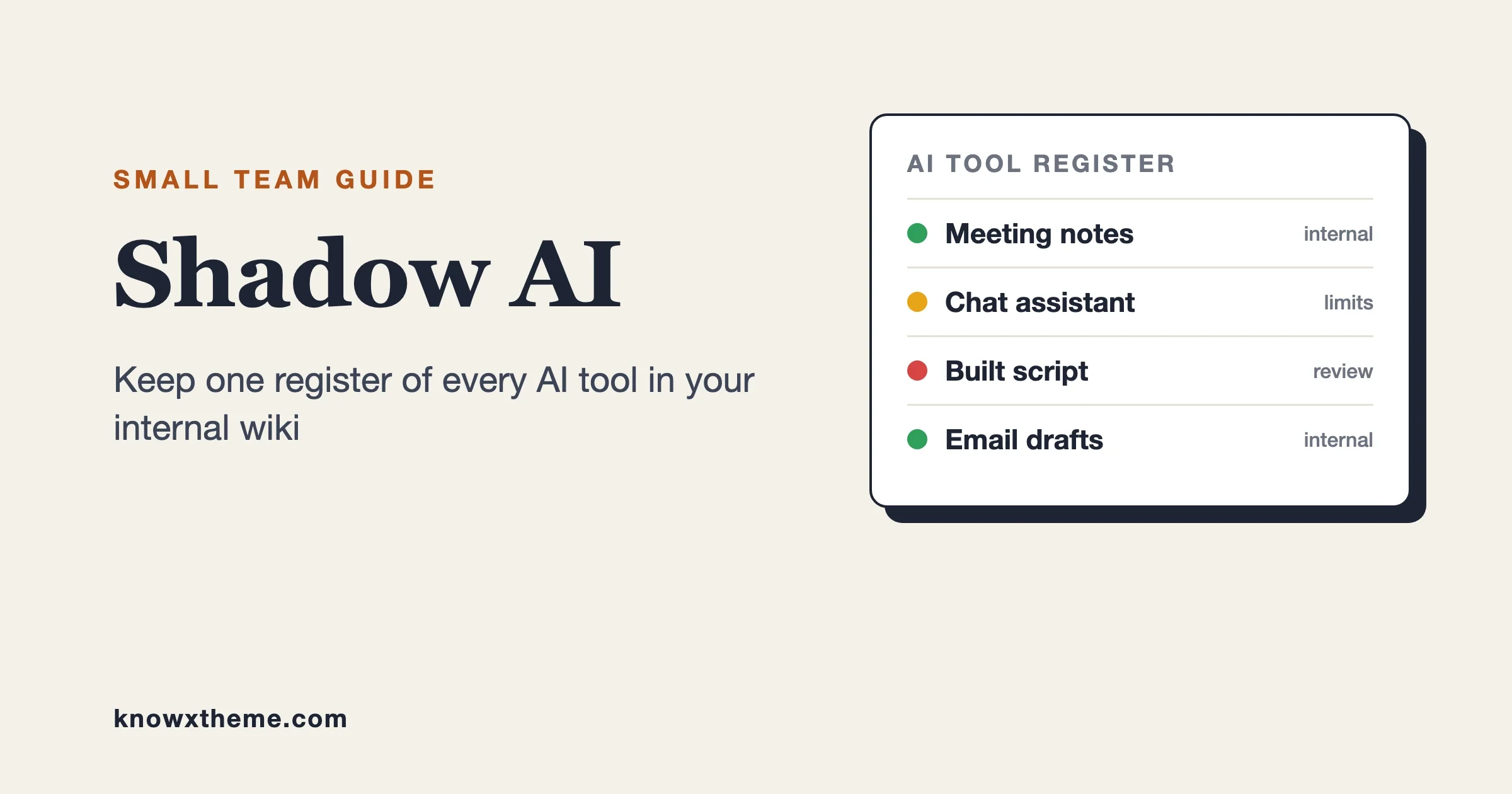
Shadow AI is any AI tool your staff use for work without the team knowing about it. On a small team the fix is not a ban and not a long policy. It is a one-page register of every AI tool and every small tool someone has built, kept in your internal wiki, with an owner and a review date on each line. This guide gives you the register, a short policy to go with it, and a simple way to keep both current in WordPress.
We are the team behind KnowX, a free WordPress theme for knowledge bases and documentation sites. Keeping a register like this is exactly the sort of page an internal wiki is for, so we show how to do it there. The register and the policy work in any wiki or even a shared document. Where a point is about KnowX, we say so, and we say what it does not do.
What is shadow AI?
IBM’s topic page on the subject defines shadow AI as the “unsanctioned use of any artificial intelligence (AI) tool or application” by employees or end users, without approval or oversight from the IT department. Its example is staff using a generative AI chatbot such as ChatGPT for editing text or analysing data.
That is the common meaning. On a small team we think it helps to split it in two, because the two halves need different checks:
- Tools people use. A chatbot, a meeting-notes assistant, an AI feature inside a design tool, a browser extension that rewrites emails. Someone signed up with a work email, or a personal one, and started pasting work in.
- Tools people build. A script, a small web page or an automation that someone made with an AI assistant to solve a problem in their own job. It may read a spreadsheet, call an AI service with a key, or sit on a free hosting plan.
The second kind is newer and easier to miss. A person with no developer background can now produce a working internal tool in an afternoon. Nobody reviewed it because nobody knew it existed. A thread on Hacker News in late November asked where employees should run the tools their AI assistants help them build. We could not retrieve that thread to quote it, so we treat it as a sign that people are asking the question, not as evidence of how often it goes wrong. The register below answers the question on paper: every tool has a line, and the line says where it runs.
Why this is a small-team problem, not only a big-company one
A large company has a security team that can scan the network. A team of eight does not. What a small team has instead is trust and speed, and both work in favour of shadow AI. Nobody is acting in bad faith. A designer tries a tool because it saves an hour. A support person pastes a customer email into a chatbot to draft a reply. Each choice is small and sensible. The trouble is that no single person can say, a month later, which tools hold which of the company’s information.
IBM’s page lists the risks it sees: data leaving the organisation’s control, rule-breaking such as under the GDPR, and damage to trust when unreviewed models produce poor output. It also cites survey figures from Infosecurity Magazine, including one from 26 September 2024 in which 38% of employees admitted sharing sensitive work information with AI tools without their employer’s permission. We quote that as IBM’s citation of a 2024 survey, not as a measure of your team.
Why a ban does not work, and what does
The first reaction to this problem is often to forbid AI tools. We would not start there, for a plain reason: people keep the habit and stop telling you. The tool moves to a personal phone and the register you wanted is now blind.
IBM’s recommended steps point the other way. They include building a flexible governance framework with clear rules on which AI systems are allowed and how sensitive data is handled, monitoring use, and encouraging people to use approved alternatives or ask before adopting a new tool. A register supports every one of those. You cannot approve what you cannot see.
The NIST AI Risk Management Framework, a voluntary framework from the US National Institute of Standards and Technology, takes the same view of governance as a continuing activity. NIST’s page describes it as intended for voluntary use and shows version 1.0 released on 26 January 2023, with a revision under way. You do not need to adopt it to run a register. We mention it because, if a client or an auditor ever asks how you govern AI, a dated register and a one-page policy are a reasonable first answer.
Step 1: Find out what is already in use
Before you write any template, run a short discovery. It takes an hour and it changes the tone of the whole exercise, because you ask first and do not accuse.
Ask everyone the same five questions
Send this to the whole team, and say clearly that nobody is in trouble for what they list:
- Which AI tools did you use for work in the last month? Include free ones and ones on a personal account.
- What kind of information did you put into them: public, internal, customer, financial, passwords or keys?
- Have you built any script, page, automation or small app with the help of an AI assistant? Where does it run?
- Does any AI feature inside a tool you already pay for (design, email, chat, notes) switch itself on for you?
- What do you wish you were allowed to use?
The last question matters. The answers tell you which approved tool to offer in place of the unapproved one. People tend to list their tools openly once they see you want to help them keep using them.
Cross-check from records you already have
People forget. Check three places for tools they did not mention:
- Card and expense statements. Look for monthly charges from AI services.
- The sign-in list on your main work account. If your team uses Google or Microsoft sign-in, the account settings show which apps have been granted access.
- Browser extensions. Ask each person to open their extension list and read it out. AI writing and summarising extensions are common.
Do not install monitoring software on a small team for this. A conversation and three lists will find most of it.
Step 2: The AI tool register, field by field
The register is one page with one row per tool. It needs to be short enough that people will actually update it. These are the fields we recommend and why each is there.
Field | What to write | Why it is there |
|---|---|---|
Tool | Name, and the plan if it matters (free, team, personal) | Free and personal plans usually have different data terms from paid team plans |
Owner | One named person, not a team | Someone must answer when it breaks or when the vendor changes its terms |
Purpose | One sentence, plain words | Stops the register turning into a pile of names |
Data it touches | One of your data classes (see below) | The single most useful field when something goes wrong |
Version | Model, app or script version, or the date you last checked it | Behaviour changes when the vendor updates the model; your own tools need a version too |
Where it runs | Vendor cloud, your server, a laptop, a free hosting page | This is the field that answers the question of where a built tool lives |
Who can reach it | Only you, the team, anyone with the link, public | Catches tools that were meant to be private and are not |
Approval date | The day it was approved, and by whom | Shows the tool was looked at, not only listed |
Review date | The next day someone will look again | An approval with no end date goes stale |
Status | Approved, approved with limits, under review, retired | Lets people see what they may use today |
Seven of those fields are the ones from the short list we suggest as a minimum: tool, owner, data it touches, version, where it runs, approval date and review date. The other three (purpose, who can reach it, status) are cheap to add and answer the questions people ask first.
A simple way to classify the data
Do not invent a long scheme. Four classes cover most small teams:
- Public: already on your website or in a press release.
- Internal: ordinary working material, such as meeting notes and draft documents with nothing sensitive in them.
- Confidential: customer details, contracts, pricing not yet published, anything covered by an agreement with a client.
- Restricted: passwords, API keys, payment details, health or identity data, anything the law protects by name.
The rule is easy to say: a tool is approved up to a class. A chatbot on a free plan might be approved for public and internal only. A tool your team has read the terms of and pays for might be approved up to confidential. Nothing gets approved for restricted without a conversation.
Copy-paste register template
This is the plain-text version. Paste it into your wiki as a table, a list or a spreadsheet. The example row is invented to show the format, not a recommendation of any tool.
AI TOOL REGISTER
Last full review: [date]   Reviewed by: [name]

Tool:            [name and plan]
Owner:           [one person]
Purpose:         [one sentence]
Data it touches: [public / internal / confidential / restricted]
Version:         [model or app version, or "checked on [date]"]
Where it runs:   [vendor cloud / our server / laptop / other]
Who can reach it:[only me / team / anyone with link / public]
Approved on:     [date] by [name]
Next review:     [date]
Status:          [approved / approved with limits / under review / retired]
Limits:          [for example "no customer names"]
Notes:           [link to vendor terms page, date read]

EXAMPLE
Tool:            Meeting notes assistant (team plan)
Owner:           Priya
Purpose:         Summarise weekly planning calls
Data it touches: internal
Version:         checked on 25 Nov 2026
Where it runs:   vendor cloud
Who can reach it:team
Approved on:     25 Nov 2026 by Sam
Next review:     25 Feb 2027
Status:          approved with limits
Limits:          no client names on calls that are recorded
Step 3: Treat tools people build as software, not as notes
The register has a separate block for things your own people made. The reason is simple. A chatbot on a vendor’s cloud is the vendor’s problem to keep running. A script on someone’s laptop or a page on a free host is yours, and it has no owner unless you give it one.
We have seen people describe, in public forums, internal tools made with AI assistants that ended up reachable from the open internet. We could not verify a particular case to cite here, so we do not name one. The check below catches the whole class of problem, whichever story you have in mind.
Seven questions to ask about any tool someone built
- Where does it run? A laptop, a company server, a free hosting plan, a cloud account in someone’s own name.
- Who can open it? Test it. Open the address in a private browser window while logged out. If it loads, it is public.
- What data goes in and what comes out? Give it a data class from the list above.
- Where is the key? If it calls an AI service, the access key must not sit in the page code, a shared spreadsheet or a chat message. Ask who can see it and who can rotate it.
- Who maintains it? If the maker leaves or changes role, who takes over? If the answer is nobody, retire it or hand it over now.
- What happens if it is wrong? A summary tool that gets a date wrong is a small problem. A tool that sends emails to customers is a larger one. Give each tool an impact level: low, medium, high.
- How do we switch it off? Write down the steps. If nobody knows how, that is the finding.
Any tool that fails question 2 (public by mistake), question 4 (key in the open) or question 7 (no way to switch off) goes to “under review” the same day, before anything else.
Where internal tools should live
The answer depends on your team’s skills, so we give a ladder. Use the lowest rung that works.
- A vendor’s own team plan. The vendor runs it, you manage who has seats. Lowest effort.
- A no-code automation on a paid team account. Still the vendor’s cloud, with logins you control.
- A small page behind a login on a server you already run. This needs a developer, even if a light one.
- A laptop or a free host in a personal account. Not acceptable for anything above the internal class, and an exception even at that level. Move it.
A short AI use policy template
People search for an “AI governance policy template”, and most templates run to many pages that a team of ten will never read. This is the one-page version that works alongside the register. Edit the wording to fit your team and read the terms of each tool you approve. It is not legal advice, and if you work under a specific law or client contract, have someone qualified check it.
AI TOOL POLICY - [Company name]
Version 1.0, approved [date] by [name]. Review every [6] months.

1. Purpose
We use AI tools to work faster. This policy keeps customer and
company information safe and keeps us able to say which tools we use.

2. Use only approved tools for work
The AI tool register lists the approved tools, the data class each
is approved for, and any limits. If a tool is not on the register,
ask before you use it for work.

3. Data rules
- Public and internal material: any tool approved for that class.
- Confidential material: only tools approved for confidential.
- Restricted material (passwords, keys, payment, health or identity
  data): never put it into an AI tool.

4. Ask first, answer fast
To add a tool, tell [owner of the register]. We aim to answer within
[five working days]. Tools that are free or on a personal account
are not approved for confidential data unless the register says so.

5. Tools you build
If you build a script, page or automation with AI help, add it to the
register before anyone else uses it. Name an owner, say where it
runs and who can reach it. Do not put access keys in page code,
shared documents or chat.

6. Check the output
AI output can be wrong. A person is responsible for anything sent to
a customer or published under our name.

7. Leaving or changing role
Before you leave or move, hand over every tool you own in the
register to a named person.

8. Mistakes
If you think you put the wrong data into a tool, say so at once.
Nobody is penalised for reporting in good time.
Point 8 is not decoration. The most valuable thing a small team can have is a habit of telling each other early. A policy that punishes honesty teaches people to hide.
Where to keep the register: your internal wiki
A register only works if it is easy to find and easy to edit. That is why it belongs in the place the team already goes for answers. An internal wiki is a shared place the team writes in, and a knowledge base is the more structured manual of settled answers. If you are unsure which you have, our guide on internal wiki versus knowledge base explains the difference. For this page, either is fine.
Doing it in WordPress with KnowX
KnowX is a free theme for documentation sites and knowledge bases, made by Wbcom Designs. WordPress.org lists version 2.0.0, last updated on 19 October 2026, requiring WordPress 6.9 and PHP 8.1. Your articles are ordinary WordPress posts, so the register is a post and each policy is a post. Here is how we would set it up.
- Make a category called AI and tools. Put the register, the policy and a “how to request a tool” page in it.
- Write the register as one post with a table. One page is easier to scan than one page per tool. Split it only when it passes about thirty rows.
- Set the visibility to Private. WordPress core lets you mark a post Private, so only logged-in users with the right role see it, or password protected. Then do the test: open the address in a private browser window, logged out, and confirm you cannot read it. Our guide on internal knowledge base software walks through that privacy check in more detail.
- Use the article order and the last updated date. The KnowX 2.0.0 notes list an Article Order field so you can put the register first, and a last updated date shown on the article. For a register, a visible update date is evidence the page is alive. Our post on what KnowX 2.0.0 adds covers both.
- Start from the writing template. Our knowledge base article template gives the policy page a consistent shape.
Be clear about what KnowX does not do. It has no per-article access roles, so privacy comes from WordPress visibility settings and your hosting, not from the theme. It does not send review reminders, so the review date is a date you act on. And its version history is WordPress’s own revisions. If you need reminders, put the review dates in a team calendar or ask the owner to check the register on the first Monday of each month. This is the reason we pair the register with a routine, as in our review routine for stale articles.
If you are weighing the theme for an internal site, read the internal knowledge base page and the theme page on WordPress.org before you decide. A shared document or a database table works as well for a register; use what your team will open.
The review rhythm that keeps it honest
A register that is right on the day you write it and wrong three months later is worse than none, because people trust it. Build a rhythm with three levels.
Monthly: fifteen minutes
- The owner opens the register and checks that any tool added this month has all fields filled.
- Run the five questions again with one person from each function. Ask only: “Anything new since last month?”
- Look at the card or expense statement for new AI charges.
Quarterly: one hour
- Every row past its review date is reviewed or retired.
- Read the vendor terms page again for every tool approved for confidential data. Terms change. Note the date you read them.
- Re-test every built tool with the logged-out check and confirm its owner still works here.
On every leaver and role change
- List the tools the person owns and name a new owner for each.
- Rotate any access key the person held.
- Remove them from vendor team plans.
If you lose knowledge when people leave, our guide on institutional knowledge for a small team shows the wider routine this fits into.
A 30-day plan for a team of ten
Week | Do this | Done when |
|---|---|---|
1 | Send the five questions. Check statements, sign-in list and extensions. | You have a list of every tool and who uses it |
2 | Fill the register. Run the seven questions on every built tool. Fix any that are public, hold open keys or cannot be switched off. | Every row has an owner and a data class |
3 | Agree the policy in a short meeting. Offer an approved tool for each thing people said they wished they could use. | Policy v1.0 is published in the wiki |
4 | Set review dates and the monthly reminder. Add the leaver steps to your handover checklist. | The first monthly review is in the calendar |
Frequently asked questions
What is shadow AI?
Shadow AI is the use of AI tools for work without the approval or knowledge of whoever looks after IT or security. IBM defines it as the unsanctioned use of any AI tool or application by employees or end users.
Is shadow AI the same as shadow IT?
It is a close relative. Shadow IT covers any unapproved software or service. Shadow AI is the AI part of that: chatbots, assistants, AI features inside other tools and small tools people build with AI help.
What is an AI tool register?
A list, with one row per tool, saying who owns it, what data it touches, where it runs, which version it is, when it was approved and when it will next be reviewed. It is the AI version of an asset list.
Do I need an AI governance policy template?
You need a short written policy so everyone knows the rules. The one-page template above is enough for a small team. Larger organisations or those under specific laws and contracts need more, and should take qualified advice.
What should an internal wiki hold for AI governance?
Three pages: the register, the policy and a page on how to request a new tool. Add a handover checklist for leavers.
Should we ban AI tools until we have a policy?
We would not. A ban tends to push use out of sight. Ask people what they use, put it on the register and set limits by data class.
How often should the register be reviewed?
Fifteen minutes monthly, a full pass every quarter, and a hand-over on every leaver. Vendors change their terms and models, so a yearly review is too slow.
Can KnowX keep the register private?
KnowX has no per-article access roles of its own. You keep the register private with WordPress’s Private or password-protected visibility, and by testing the address while logged out. If you need different teams to see different pages, plan for that with your hosting or a plugin whose own page you have checked.
Does the register cover tools someone built with an AI assistant?
Yes, and it should. Give them their own rows with the seven questions: where it runs, who can reach it, the data class, where the key is kept, the maintainer, the impact if it is wrong and how to switch it off.